What an AI Image Generator Can Put on an Affiliate Page and What It Cannot
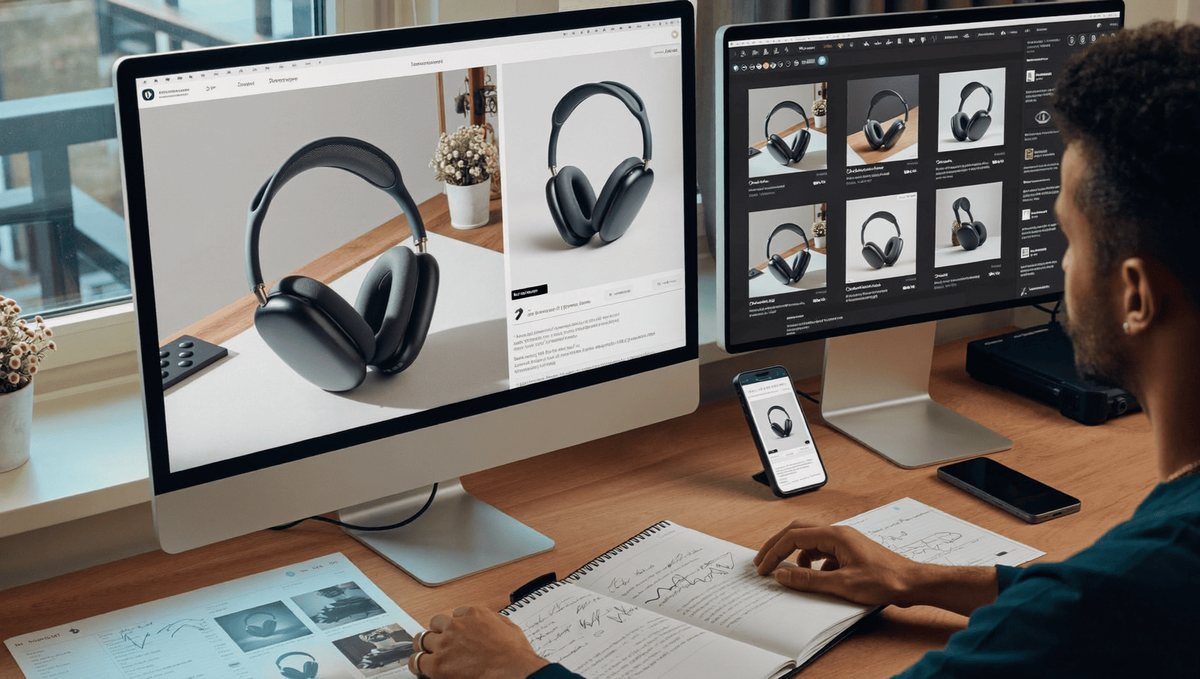
Most affiliate sites have the same image problem and it shows up in the same place. The product photographs are fine, because they come from the merchant. The featured image is usually something generic. And everywhere else on the page there is either nothing, or a stock photograph of a kitchen that is not anybody’s kitchen.
Which means a reader scrolling a buying guide sees merchant photography, a block of text, more merchant photography, and nothing that tells them this page was made by somebody who thought about the subject.
That gap matters more than it used to. Review content is competing against video, against forums, and against pages that do show original material, and the sites winning that comparison tend to be the ones that look like somebody was actually involved.
An AI Image Generator fills part of that gap. Higgsfield offers creators greater flexibility when developing visual concepts, but there are two categories it must not touch, and on affiliate pages specifically, both carry rules rather than preferences.
What images does a review page actually need?
Four kinds, and most pages have one.
- Product imagery, which comes from the merchant and has its own requirements covered below.
- A featured image, which does more work than publishers credit. It appears in search, on social, in related post widgets and on category pages, and a generic one makes a site look like every other site in the niche.
- Explanatory graphics. Comparison tables as images, sizing diagrams, how something works, what the differences between two specifications actually mean in practice. This is the category almost nobody produces and the one that genuinely helps a reader decide.
- Section imagery, which breaks up a long page and gives the eye somewhere to rest between blocks of text.
Only the first of those has rules attached. The other three are open, and they are where the differentiation sits.
Why can’t you make your own product photos?
Because the product belongs to somebody else and the programme you are in says how it may be shown.
Amazon’s associates programme requires product images to come through approved means rather than being copied, modified or recreated. That is a term of the programme, and accounts have been closed over image handling.
Other affiliate programmes have their own requirements, and most merchants supply an asset pack precisely so publishers do not have to guess.
Beyond the programme terms, there is the simpler problem. A generated image of a product is not that product. Colours differ, proportions differ, details are invented, and a reader comparing your image against the merchant listing sees two different things.
For a page whose entire purpose is helping somebody decide what to buy, that is disqualifying regardless of what any programme says.
Use the supplied imagery. Where a merchant’s photography is poor, say so in the text rather than improving it in the picture.
What about images implying you tested it?
Stricter again, and this is where affiliate sites most often cross a line without noticing.
An image showing a product in use, in a home, on a desk, in somebody’s hands, makes a claim. It says this was here, and by extension that somebody used it.
If you did test the product, photograph it. Your own photographs of the actual item are the single most valuable asset an affiliate page can carry, and readers recognise them immediately.
If you did not test it, do not produce an image suggesting you did. That includes generated images of the product in a setting, stock photographs arranged to look like original testing, and any image of a person presented as a reviewer who does not exist.
Consumer protection regulators in several markets have been active on exactly this, and the direction of attention is toward reviews and endorsements that misrepresent experience.
The honest version performs fine. Pages that say plainly which products were handled and which were assessed on specification are trusted more, not less.
Where does an AI Image Generator genuinely fit?
Everything that is not the product and not a claim about your experience.
- AI Image Generator featured images, which is the clearest case. A distinctive featured image per post, consistent across a site, costs nothing to produce at volume and immediately separates a site from its competitors using the same stock library.
- AI Image Generator explanatory graphics, where something needs illustrating rather than depicting. How a mechanism works, what a specification means, the difference between two approaches.
- AI Image Generator section imagery for long pages, which is decorative and should be understood as decorative.
- Category and hub page artwork, which almost no site produces and which makes a browse experience feel designed.
- AI Image Generator social cards, since a page shared without one renders as a grey box with a URL.
An AI Image Generator handles all of those quickly enough to apply across a whole site rather than to a handful of flagship posts, which is the point for anybody publishing at any scale.
Higgsfield holds the production and a stored treatment together as an AI creative suite, which matters because consistency across a site is what the featured image argument depends on.
Do the disclosure rules cover images?
Affiliate disclosure does, generated imagery increasingly does, and they are separate questions.
Affiliate relationships require clear and conspicuous disclosure, placed where a reader encounters it before the links rather than buried at the foot of the page. That applies regardless of what the images are doing.
On generated imagery, the position is moving. Platforms are labelling synthetic media more aggressively, several jurisdictions are tightening transparency requirements, and provenance metadata is increasingly attached automatically.
For decorative and explanatory images, most publishers are adding a short site-wide line rather than labelling each one. That is a reasonable position and considerably better than saying nothing.
What should always be labelled is anything that could be mistaken for a photograph of the product or of original testing. If a reader might think an AI Image Generator picture is evidence, it needs a caption.
Consistency matters more than the exact wording. Labelling some and not others creates a worse impression than either consistent approach.
Does alt text matter on a review page?
More than on most pages, and most sites waste it entirely.
Alt text serves readers using screen readers, which is reason enough on its own and the one most frequently ignored.
It also appears when images fail to load, which on a page carrying many merchant images is more common than publishers assume.
Write what the image shows rather than stuffing keywords, which search engines have been able to spot for a very long time and which produces a hostile experience for anybody relying on it.
For product images, describe the product. For explanatory graphics, describe what the graphic explains, because the information in it is otherwise unavailable to a screen reader entirely.
And for decorative section imagery, an empty alt attribute is correct. Not a missing one, an empty one, which tells assistive technology to skip it rather than announcing something meaningless.
How many images should a buying guide carry?
Enough to break the page, which depends on its length rather than on a fixed number.
A long buying guide needs something visual roughly every few hundred words, or the page becomes a wall that readers abandon partway.
Product imagery handles some of that naturally since each item has its own.
Explanatory graphics should appear wherever the text is doing something a picture would do better. A comparison described in a paragraph is almost always clearer as a table or a diagram.
What is not useful is decorative imagery for its own sake, which adds page weight, slows load and contributes nothing. Page speed matters for this kind of content and every image has a cost.
Optimise everything, serve appropriate sizes, and lazy load anything below the fold.
Is page speed the hidden cost?
Frequently, and it catches publishers who add imagery without changing anything else.
Review pages are already heavy. Merchant images, comparison tables, affiliate scripts and whatever the ad stack contributes all load before a reader sees anything. Adding four more images to a page that was already slow makes it slower.
That matters commercially rather than aesthetically. Readers on phones abandon slow pages, and page experience signals feed into how the page performs.
The practical response is not to use fewer images. It is to serve them properly. Appropriate dimensions rather than a large file scaled down in the browser, modern formats where supported, and lazy loading on anything below the first screen.
Produce generously large images in an AI Image Generator and export at the size the template actually uses, rather than uploading the original and letting the page shrink it.
Higgsfield exporting several sizes from one generation is the practical part, since a featured image, a thumbnail and a social card are three different dimensions of the same picture.
And audit occasionally. Most sites publishing at volume accumulate oversized images without noticing, and a single pass through the largest files frequently recovers more loading time than any other change available.
What about comparison and explainer graphics?
The highest-return images on an affiliate page and the least produced.
Somebody reading a buying guide is trying to decide between options. A comparison presented visually does that job faster than any amount of prose, and it is the thing readers screenshot and share.
Sizing and fit diagrams for anything where dimensions matter. Compatibility charts. A diagram showing what a specification actually affects in use.
Those require no photography, make no claim about products you have handled, and are entirely appropriate to produce. An AI Image Generator makes them achievable where previously they required design work nobody budgeted for.
One caution. Any figure in a comparison graphic has to be accurate and sourced from the listing or the specification. An AI Image Generator graphic containing invented numbers is considerably worse than no graphic, because it looks authoritative.
Check every figure against the source before it goes near an image.
Does this change anything at volume?
It changes what is achievable, and it raises the importance of a consistent approach.
A site publishing steadily cannot produce bespoke imagery per post by hand. What an AI Image Generator can do is settle a treatment once and apply it, so every featured image belongs to the same site and every explanatory graphic uses the same visual language.
That consistency is what separates a site that looks edited from a site that looks assembled, and readers register it even when they could not describe it.
Higgsfield storing the treatment is the practical mechanism, since the alternative is drift as different people produce images at different times.
It also makes the back catalogue worth revisiting. Older posts with generic featured images can be updated in batches, starting with whichever pages actually receive traffic rather than with the oldest.
The rules do not change with volume. Product imagery still comes from the merchant and testing claims still require testing.
What would one page take?
Twenty minutes beyond the writing.
- Pull the product imagery through the programme’s approved route. No exceptions and no manual copying.
- Decide what the page is actually comparing before opening Higgsfield, and produce one explanatory graphic that does that job better than the paragraph currently does.
- Produce a featured image in an AI Image Generator against your site’s settled treatment.
- Add section imagery only where the page genuinely needs breaking up.
- Write real alt text for every Higgsfield image, with empty attributes on anything decorative.
- Check that your affiliate disclosure sits above the first link rather than below the last.
- Save the treatment in Higgsfield so the next post matches without a decision.
FAQs
Can an AI Image Generator produce product photos?
No. Programme terms require merchant imagery through approved routes, and a generated product is not the product a reader is buying.
What about showing a product in use?
Only if you used it. An image implying original testing is a claim about your experience, and regulators have been active on exactly that.
Which images are genuinely open?
Featured images, explanatory graphics, section imagery, category artwork and social cards. Anything making no claim about a product or your experience.
Does generated imagery need disclosing?
Increasingly. A site-wide line covers decorative use. Anything that could be mistaken for product evidence needs a caption.
What is the highest-return image on a review page?
A comparison or explainer graphic. It does the job the reader came for, and almost nobody produces one.
Is there a free way to try this?
Higgsfield operates a free tier, which covers producing a featured image and one explanatory graphic for a single post.
Conclusion
Affiliate pages look alike because the only original imagery on most of them is supplied by the merchant, and everything else is stock that four competing sites are also using.
An AI Image Generator covers the featured images, the explanatory graphics and the section material, and Higgsfield keeping a treatment stored means a site publishing regularly still looks like one site.
The product stays the merchant’s and the testing claims stay true. Those two lines are where affiliate publishing has always been judged, and neither of them moved.
Our Sample Article

Benefits of Meditation: Unlocking Peace and Productivity
Shahidujzaman Shahid · May 29, 2024
How to Choose a Probiotic: Your Essential Guide
Shahidujzaman Shahid · May 29, 2024
Why Does My Cat Keep Throwing Up? Uncover the Causes!
Shahidujzaman Shahid · May 29, 2024