The most popular tool for writing a thousand articles with just one click is Affpilot, allowing for the creation of informative and review articles. Today, let’s look at the Affpilot feature of Info articles at a glance.
This feature allows you to write a thousand articles with just a single click effortlessly. Essentially, you provide input for 1000 keywords, and it generates and automatically publishes 1000 articles on your website simultaneously.
Step 1 — Afpilot Dashboard
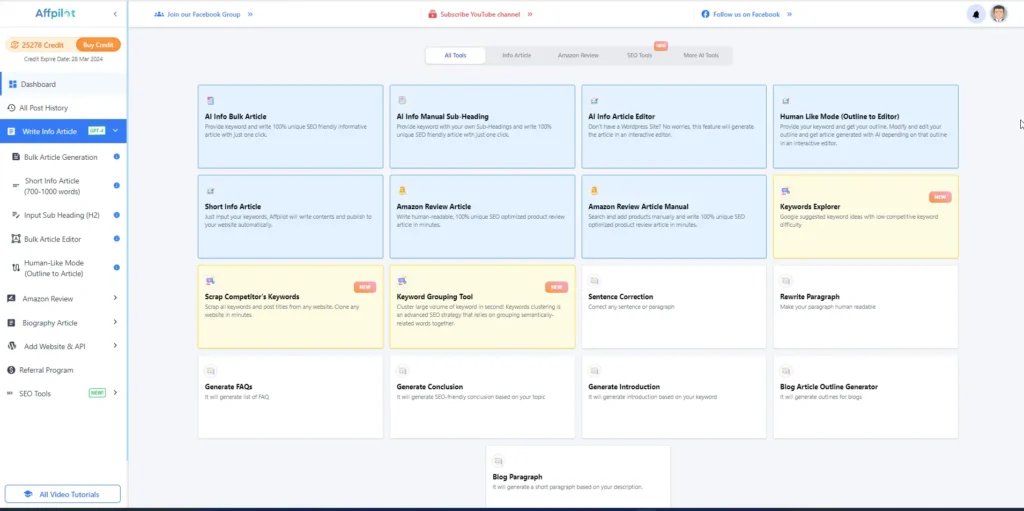
To get this feature first log in to Affpilot.com. Then you get below Dashboard
Step 2 — Blog Paragraph
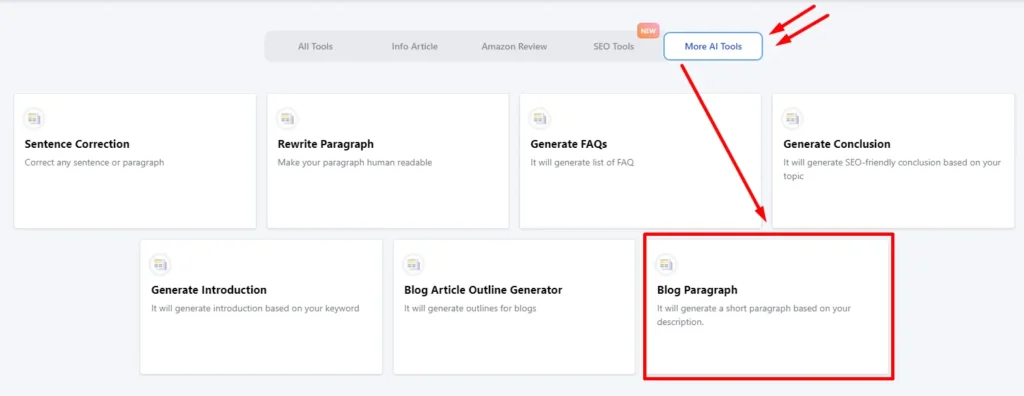
On the right side, you’ll find the “More AI Tools” Option. Click on it. Then you get the “Blog Paragraph” Option here.
Step 3 — Write Blog Paragraph
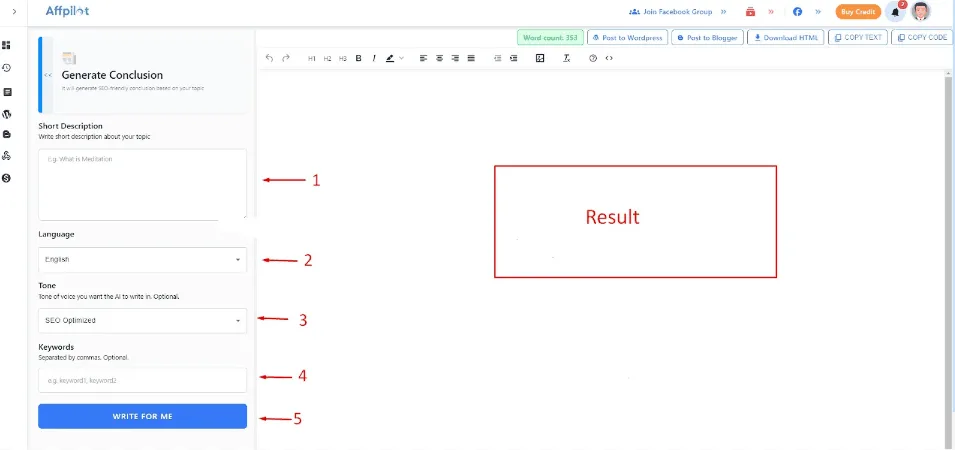
Now click on the “Blog Paragraph” Option, And get the working area.
Write your Tile or Main keyword here.
Select language.
You can select the Tone of voice. It’s not mandatory.
You can write your LSI keywords here. It’s not mandatory.
Now click on the “Write For Me” option. On the right side, you will get your Blog paragraph.