Can I Use Amazon Product Images on My Affiliate Website?

If you’re an Amazon affiliate, you’ve probably asked yourself this: Can I legally use Amazon product images on my affiliate website?
Short answer? Yes, but with very specific rules.
This blog post will walk you through everything you need to know about using Amazon product images the right way.
We’ll clear up the confusion, share actionable steps, and give you tips to stay safe and compliant.
And toward the end, we’ll show you how to save hours of manual work using a smart tool called Affpilot AI.
Why It’s a Common Question
Many affiliate marketers build niche sites with product reviews or comparisons. Naturally, they want to show the product they’re promoting.
But here’s the tricky part: Amazon owns the rights to their images.
That means you can’t just download an image from Amazon and upload it manually to your site. Doing this violates Amazon’s terms and could get your affiliate account banned.
So let’s dive into the exact rules.
What Amazon’s Affiliate Terms Say
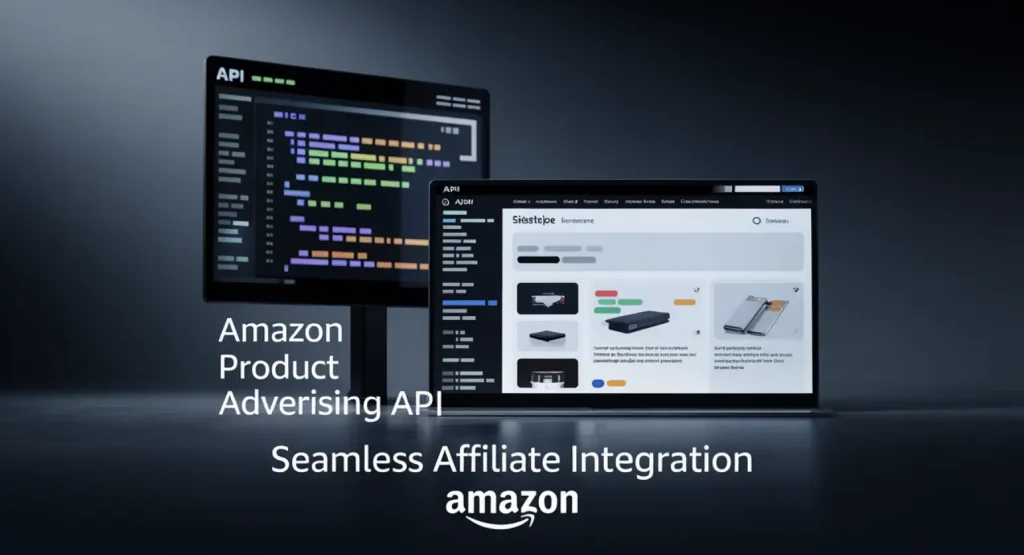
Amazon’s Operating Agreement (which all affiliates must accept) says:
You may not use any Amazon Content, including product images, except as provided to you through Amazon’s API or other tools.
Translation? You can only use product images that come directly from Amazon’s approved sources:
- Amazon Product Advertising API
- SiteStripe Tool
That’s it. No saving, editing, or manually uploading.
The Two Legal Ways to Use Amazon Images
1. Amazon SiteStripe
SiteStripe is a toolbar you get when you’re logged into your affiliate account on Amazon.com. It lets you quickly grab a product link, image, or widget directly from the product page.
How to use it:
- Go to a product page while logged in as an affiliate
- Use the SiteStripe bar at the top
- Click Image or Text+Image
- Copy the embed code and paste it on your site
Pros:
- Easy to use
- Compliant with Amazon rules
Cons:
- Limited customization
- Slows down your site if you add many
2. Amazon Product Advertising API
This is Amazon’s official API that gives you structured data like:
- Images
- Prices
- Titles
- Ratings
You can display the image directly using the API. You’ll need some technical knowledge or a plugin that integrates the API with your site.
Pros:
- Dynamic content (price/image auto-updates)
- Fully compliant
Cons:
- Requires API access (approval needed)
- Harder for beginners
Can You Manually Save Amazon Images and Upload?
No.
Even if your intent is good, manually downloading an image from Amazon’s site and uploading it to your server violates their copyright policy.
What could happen?
- Your Amazon affiliate account can be suspended or terminated
- Amazon may send you a legal notice
- You could face copyright takedown requests
It’s just not worth it.
What About Using Images Found on Google?

Let’s say you Google a product name and find the same image Amazon uses. Can you use it?
Still no.
Amazon owns or licenses these images. Even if you get it from another site, you’re still at risk if it originated from Amazon.
Amazon Wants Brand Consistency
Why is Amazon so strict about this?
Because they want control over how their products are presented. Misused or outdated images can:
- Mislead buyers
- Cause confusion
- Hurt their reputation
So they only allow images through sources that they control.
What If You Already Uploaded Images Manually?
If you’ve manually uploaded product images:
- Remove them immediately
- Replace them using SiteStripe or API
It’s better to fix it now than risk losing your account later.
Can You Use Amazon Logos or Brand Graphics?
No — unless you’re specifically permitted.
Amazon is very strict about their logo usage. They allow limited use within approved formats only. Usually via:
- Their banners
- API-generated widgets
- SiteStripe
If you download and edit their logo, or place it randomly on your homepage, it’s a fast track to suspension.
Can You Use Your Own Photos Instead?
Yes. In fact, that’s often a smart idea.
You can:
- Buy the product
- Take your own high-quality photos
- Use them in your blog post
- Even show real-world use (unboxing, usage, comparison)
This builds trust. And it gives you full freedom over how to use those images.
But obviously, it’s not always practical to buy every product.
Can You Use Images from Other Review Sites?
Be careful.
If another affiliate site took images from Amazon and you copy them — you’re copying a copyright violation.
Even if they watermarked it, if the base image is from Amazon and they didn’t get it via SiteStripe or the API, you’re still at risk.
Unless they clearly say the image is free to use (under a license like Creative Commons), avoid it.
What Happens If You Use Amazon Images the Wrong Way?

Here’s what might happen if you manually use Amazon images:
- Account suspension
- Termination from the Associates program
- Legal issues (if you violate copyright rules)
- Lost income — all your links become useless
Amazon has bots that regularly check websites for policy violations. So don’t assume they won’t notice.
Smart Ways to Use Amazon Images Without Breaking Rules
Let’s simplify:
| Method | Safe to Use? | Notes |
| SiteStripe HTML code | Yes | Recommended for beginners |
| Product Advertising API | Yes | Requires setup and API access |
| Manual screenshot/upload | No | Risk of copyright strike |
| Using from another site | No | Might be violating terms |
| Taking your own photos | Yes | Ideal but time-consuming |
Best Practice for Amazon Affiliate Website
If you’re serious about long-term success, here’s what to do:
- Use SiteStripe for all your links and images
- Use a tool that integrates Amazon API
- Add value — don’t just copy/paste Amazon descriptions
- Be transparent
- Use a proper theme optimized for affiliate sites
Introducing Affpilot AI – A Smarter Way to Use Amazon Images Legally
Now here’s where things get really interesting.
If you’re tired of manually embedding links and dealing with plugin setup, Affpilot AI is the tool you need.
What is Affpilot AI?

Affpilot is an AI-powered auto-blogging tool that has a cool feature for Amazon affiliate marketers.
It allows you to:
- Write and publish up to 1000 Amazon affiliate articles automatically
- Pull product images through Advertising API (legal and requires no manual uploading)
- Embed your affiliate links in every article
- Publish directly to WordPress or Blogger
How It Solves the Image Problem
When you use Affpilot AI, you don’t have to worry about violating Amazon’s terms.
Here’s why:
- It pulls product data, including images, via API
- You never need to download or upload anything manually
- All image embeds are Amazon-compliant
Plus, you don’t need coding skills.
Perfect for Beginners and Experts Alike
Whether you’re building your first niche site or managing 100 blogs, Affpilot saves you:
- Hours of writing
- Time dealing with formatting
- Stress about compliance
Just enter your keyword, pick a few options, and let the AI handle the rest.
Key Features That Set Affpilot Apart

- Real-Time Product Data: Always updated with the latest info
- SEO-Optimized Reviews: Built to rank high
- WordPress & Blogger Integration: Publish in one click
- No Amazon API? No Problem: Use the “Write without API” feature with just your store ID
Don’t Risk Your Affiliate Account
You’ve worked hard to get your affiliate site up. Don’t let a simple mistake like using images the wrong way put your earnings at risk.
Stick to Amazon-approved methods.
Better yet? Use a tool like Affpilot AI that keeps everything safe, legal, and effortless.
Ready to Scale Your Amazon Affiliate Site?
Try Affpilot AI and focus on what you do best — growing your traffic and earnings.
Start your free trial today at https://affpilot.com.
FAQs About Using Amazon Images
Q: Can I crop or edit Amazon images to match my theme?
A: No. Any modification is against Amazon’s policy.
Q: What happens if I use Amazon images manually but link to the product?
A: That’s still a violation. Linking doesn’t give you permission to use the image.
Q: Is there any way to get custom image permission from Amazon?
A: Not for affiliates. Only vendors or sellers may have different arrangements.
Q: Is using SiteStripe enough?
A: Yes, as long as you use the image exactly as they provide and don’t edit.
Final Thoughts
Using Amazon product images on your affiliate website is allowed — if you follow their rules.
Don’t copy and paste. Don’t download and re-upload.
Use SiteStripe. Or better, use an API-connected tool like Affpilot AI to automate the process legally and efficiently.
Stop stressing about compliance. Start building better content — faster.
Try Affpilot AI today and turn your affiliate site into a revenue machine.
Visit https://affpilot.com and start now.
Our Sample Article

Benefits of Meditation: Unlocking Peace and Productivity
Shahidujzaman Shahid · May 29, 2024
How to Choose a Probiotic: Your Essential Guide
Shahidujzaman Shahid · May 29, 2024
Why Does My Cat Keep Throwing Up? Uncover the Causes!
Shahidujzaman Shahid · May 29, 2024