Can You Post Amazon Affiliate Links on Pinterest? A Beginner’s Guide
Discover whether can you post Amazon affiliate links on Pinterest. Learn the rules and maximize your earnings with our expert guide!
You’ve seen product pins that lead directly to Amazon.
You’ve wondered: Is this allowed? How do you do it right?
This article answers those questions in detail. You’ll learn step-by-step how to post Amazon affiliate links on Pinterest.
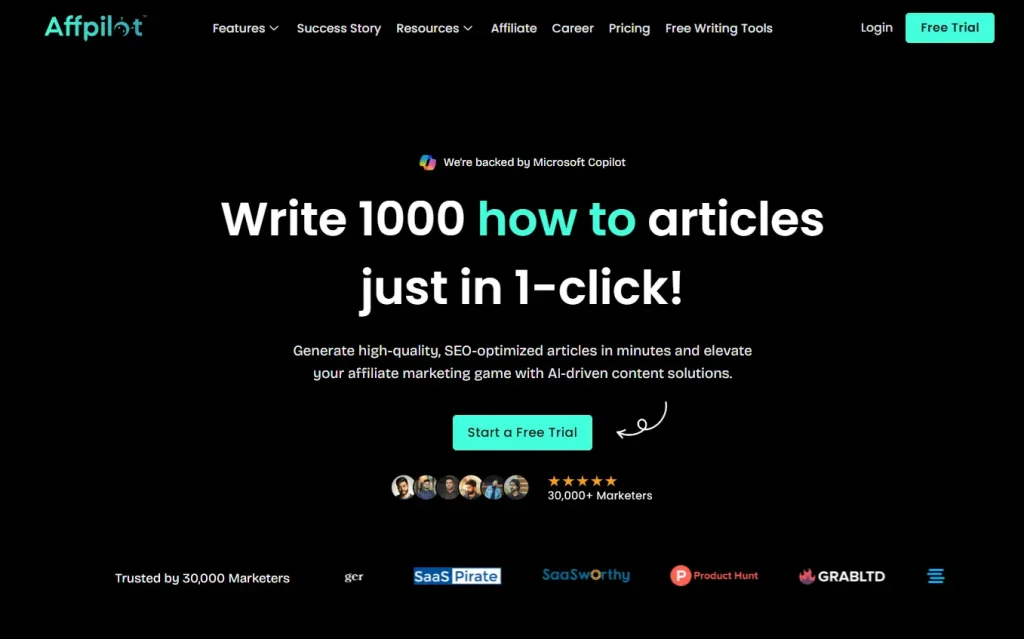
You’ll also discover how to scale your content using Affpilot AI our auto-blogging tool that can write and publish up to 1,000 Amazon affiliate articles with embedded links.
What Is Pinterest and Why It Matters for Affiliates
Pinterest is more than a mood board. It’s a visual search engine. People use it to discover recipes, home décor ideas, and products to buy.
- Search-driven: Users type queries like “best yoga mats” or “gift ideas for Dad.”
- Long shelf life: A pin can drive traffic for months or even years.
- High purchase intent: Over 70% of Pinners use Pinterest to decide what to buy.
You can tap into this audience. A well-placed affiliate link on Pinterest can convert browsers into buyers. But only if you follow the rules.
Understanding Amazon Affiliate Links

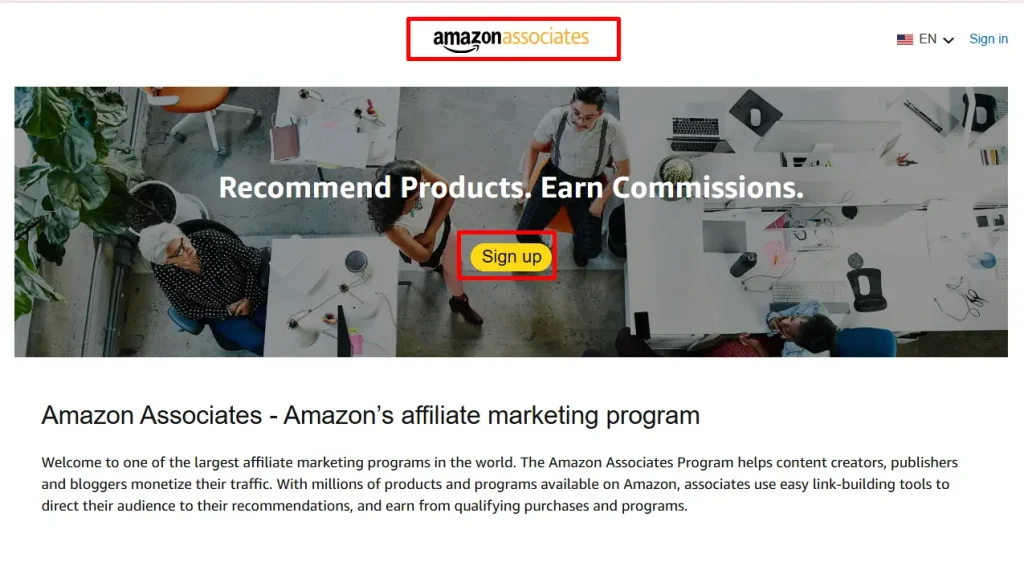
You join Amazon’s Affiliate Program (also called Amazon Associates) and earn commissions on qualifying purchases. Here’s how affiliate links work:
- You sign up for the program on affiliate.amazon.com.
- You get a unique tracking ID.
- You generate affiliate links for products using Amazon’s link builder.
- You place those links on your blog, social media, or Pinterest.
- You earn a commission when someone clicks your link and buys within 24 hours.
Affiliate links track your referrals. Amazon pays you a percentage of the sale. The percentage varies by category, from 1% to 10% or more.
Pinterest’s Policy on Affiliate Links

Yes, you can post affiliate links on Pinterest. Pinterest’s current policy explicitly allows affiliate links in Pins and Idea Pins. The only requirement: you must disclose your affiliate relationship.
- Disclosure: Add “#ad,” “#affiliate,” or “Affiliate link” in the pin description.
- No redirects: Link directly to the product page with your affiliate tag.
- No link shorteners: Avoid bit.ly or other cloaking tools.
By following these rules, Pinterest will not penalize your account. And you stay compliant with Amazon’s Associate Operating Agreement.
Complying with Amazon’s Rules
Amazon’s policy on affiliate links covers where and how you can share them. Key points:
- Disclose clearly: You must tell users that you earn commission.
- No coupon codes: Sharing Amazon promo codes is prohibited.
- No pop-ups: Links must open normally in the same tab.
- Use proper link format: Amazon requires a full URL, including your tag and tracking parameters.
Breaking these rules can get your affiliate account suspended. Always review the Associate Operating Agreement before experimenting.
Step-by-Step: Adding Affiliate Links to Your Pins
- Generate your link
- Log into Amazon Associates.
- Search for the product.
- Click “Text” or “Image” link builder.
- Copy the full URL with your tracking ID.
- Log into Amazon Associates.
- Create a new Pin
- Go to your Pinterest profile.
- Click the “+” icon and select “Create Pin.”
- Upload a high-quality image or video of the product.
- Go to your Pinterest profile.
- Add your link
- Paste the affiliate URL in the “Destination link” field.
- Ensure the URL starts with https:// and ends with ?tag=yourID.
- Paste the affiliate URL in the “Destination link” field.
- Write a clear description
- Start with a keyword-rich phrase: “Best Running Shoes for Flat Feet.”
- Include a brief benefit statement.
- Add disclosure: “#affiliate” or “Affiliate link”.
- Start with a keyword-rich phrase: “Best Running Shoes for Flat Feet.”
- Select a board
- Choose an existing board or create a new one.
- Use board names that match search intent, like “Home Gym Gear”.
- Choose an existing board or create a new one.
- Publish
- Hit “Publish”.
- Pin to group boards to amplify reach.
- Hit “Publish”.
By following these steps, you ensure your links meet both Pinterest and Amazon requirements.
Crafting Pins That Convert
A pin with an affiliate link must stand out. Focus on:
- Visual appeal
- Bright, clear images.
- Lifestyle shots showing the product in use.
- Bright, clear images.
- Keyword optimization
- Pin title: 40–50 characters.
- Description: 100–200 words, naturally include primary and secondary keywords.
- Pin title: 40–50 characters.
- Strong call to action (CTA)
- “Click to shop”, “See price and reviews”, or “Tap to buy now.”
- “Click to shop”, “See price and reviews”, or “Tap to buy now.”
- Consistent branding
- Use similar fonts, colors, and templates for your pins.
- Use similar fonts, colors, and templates for your pins.
Tip: Test different designs. Track which pins drive the most clicks and sales.
Driving Traffic Beyond Organic Reach
Organic reach on Pinterest can be slow at first. Here’s how to accelerate:
- Promoted Pins
- Pay for targeted ads.
- Set a daily budget.
- Target by interests, keywords, or custom audiences.
- Pay for targeted ads.
- Tailwind Scheduler
- Schedule pins for optimal times.
- Join Tailwind Tribes to share in niche groups.
- Schedule pins for optimal times.
- Cross-promotion
- Share your pins on Instagram Stories or Facebook.
- Embed pins in your blog posts.
- Share your pins on Instagram Stories or Facebook.
- Collaborate
- Partner with influencers.
- Contribute guest pins on large boards.
- Partner with influencers.
Each tactic helps you reach beyond your followers.
Tracking Performance and ROI
Use Pinterest Analytics and Amazon’s reports to measure success.
- Pinterest Analytics
- Impressions, Saves, Close-ups, Link clicks.
- Top-performing boards and pins.
- Impressions, Saves, Close-ups, Link clicks.
- Amazon Associates Central
- Click-through rates (CTR).
- Conversion rates.
- Earnings per click (EPC).
- Click-through rates (CTR).
Action step: Review analytics weekly. Double down on pins and boards with the highest ROI.
Scaling Up Your Affiliate Strategy
You’ve mastered individual pins. Now think bigger:
- Batch creation: Design 20–30 pins for a product category.
- Seasonal campaigns: Plan holiday gift guides months in advance.
- Niche boards: Cover micro-niches like “Eco-Friendly Kitchen Gadgets” or “Yoga Props for Seniors.”
Ask yourself: What new pain points can I solve with my pins? Solving real problems builds trust and boosts conversions.
Leveraging Affpilot AI to Turbocharge Your Content
I once spent weeks writing and scheduling pins for a single product line. Results were good—but I hit a content ceiling.
Then I discovered Affpilot AI.
One of its standout features is the ability to write and publish up to 1,000 Amazon affiliate articles with your affiliate link embedded in minutes .
Here’s how Affpilot AI fits into your Pinterest strategy:
- Bulk article generation
- Pick up to 1,000 products.
- Input keywords or ASINs.
- Pick up to 1,000 products.
- SEO-optimized reviews
- Real-time product data.
- Engaging, persuasive copy.
- Real-time product data.
- Direct publishing
- Send articles to WordPress or Blogger.
- Each article includes your affiliate link.
- Send articles to WordPress or Blogger.
- Automate pin creation
- Use article images as pin media.
- Auto-fill descriptions with SEO keywords and link disclosures.
- Use article images as pin media.
- Scale effortlessly
- Publish hundreds of articles.
- Generate matching pins at scale.
- Publish hundreds of articles.
With this workflow, I expanded my pin portfolio from 50 to over 500 in a week. My click-through rate doubled. Your time stays free to focus on strategy, not writing.
Integrating Affpilot AI into Your Workflow
Follow these practical steps:
- Set up Affpilot AI
- Sign up at Affpilot.com.
- Choose your plan.
- Apply a coupon if available.
- Sign up at Affpilot.com.
- Input your products
- Paste a list of ASINs or keywords.
- Choose article format (listicle, deep-dive review, comparison).
- Paste a list of ASINs or keywords.
- Customize settings
- Set tone and structure.
- Toggle API integration for real-time specs.
- Set tone and structure.
- Generate and publish
- Let the AI write, edit, and publish.
- Review drafts, make minor tweaks.
- Let the AI write, edit, and publish.
- Create pins
- Download article images.
- Use Canva or Tailwind Create to batch-design pins.
- Link back to your freshly published articles or directly to Amazon.
- Download article images.
This process turns weeks of work into hours. You retain quality and compliance—no guesswork.
Avoiding Common Pitfalls
- Broken links: Test every pin link.
- Policy changes: Review Pinterest and Amazon policies quarterly.
- Over-promotion: Balance affiliate pins with value-driven content like tips or tutorials.
- Neglecting SEO: Keywords matter on both Pinterest and Google if you link to your blog.
Question: How will you blend affiliate pins with educational content? Finding that mix keeps users engaged and coming back.
Your Next Steps
- Audit your existing pins. Remove outdated links.
- Plan a 30-day content calendar. Mix product reviews, guides, and tips.
- Try Affpilot AI. Generate 100 articles in one click.
- Schedule pins with Tailwind or Pinterest scheduler.
Pinterest rewards consistency. A small effort each day compounds into sustainable traffic and income.
You now know you can post Amazon affiliate links on Pinterest—legally, effectively, and at scale. You’ve seen step-by-step how to create pins, comply with policies, track performance, and multiply your content with Affpilot AI.
Ready to turn pins into profits—without spending weeks on writing?
Give Affpilot AI a try today and watch your affiliate empire grow.
So, what pins will you publish tomorrow?
Our Sample Article

Benefits of Meditation: Unlocking Peace and Productivity
Shahidujzaman Shahid · May 29, 2024
How to Choose a Probiotic: Your Essential Guide
Shahidujzaman Shahid · May 29, 2024
Why Does My Cat Keep Throwing Up? Uncover the Causes!
Shahidujzaman Shahid · May 29, 2024