Flexclip Review: An in-Depth Review with Features & Pricing
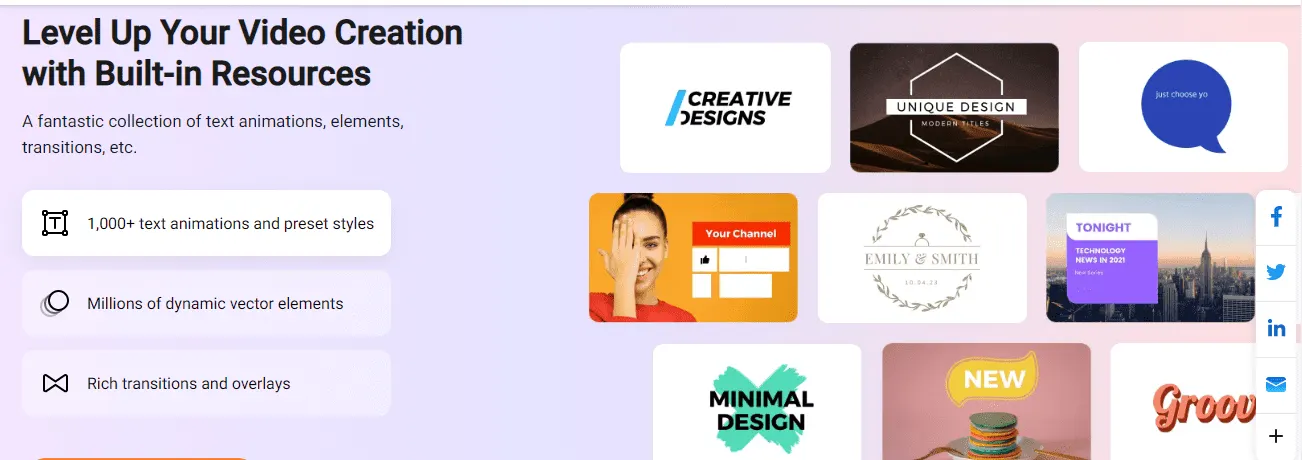
FlexClip is a cloud-based video editing software that provides a smooth and intuitive interface for users to create engaging and professional-looking videos. With its easy-to-use templates, extensive content library, and dynamic text options, FlexClip is designed to make video creation accessible to everyone, regardless of skill level or experience.
The purpose of this blog post is to provide an in-depth review of FlexClip, covering its features, ease of use, and overall value. This article will summarize personal experiences with the software, as well as feedback and ratings from other sources, including Techjury, Trustpilot, and FinancesOnline.
Features of Flexclip
Smooth and intuitive interface
FlexClip offers a smooth and intuitive interface that makes it easy for users to navigate and create their projects. The design of the software is user-friendly and straightforward, allowing users to quickly familiarize themselves with the various tools and features. This makes it a great option for those who are new to video editing, as well as freelancers who are looking for a reliable and efficient tool to help with their projects. The interface is also highly responsive, allowing users to quickly switch between different tools and features, as well as make changes on the fly.
Easy-to-use templates
One of the standout features of FlexClip is its library of easy-to-use templates. These templates are designed to make it easier for users to create professional-looking videos without the need for extensive video editing experience. The templates cover a range of topics, from promotional videos and social media posts to event invitations and family photo albums. Users can simply choose a template, customize it to suit their needs, and export the final product in just a few clicks.
Video Editing
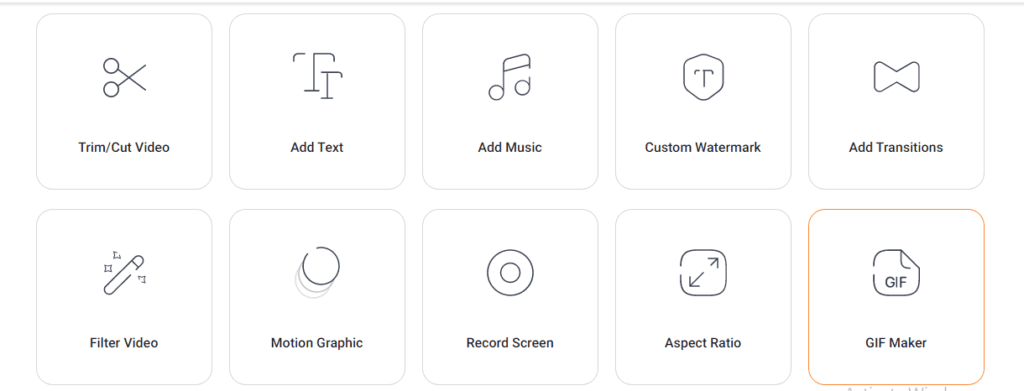
Flexclip is a user-friendly online video editing tool that offers a variety of features for creating and editing videos. With Flexclip, you can easily add, delete, and rearrange video clips, adjust video brightness and speed, rotate, flip, and zoom videos, add text, logos, watermarks, and music, as well as make memes and GIFs. The user interface is intuitive and straightforward, allowing even those with little to no video editing experience to create professional-looking videos. You can start by uploading your own videos or using the built-in stock footage and music library. Once your video is uploaded, you can start editing it by trimming, splitting, compressing, and converting it to the format you need.
Extensive content library
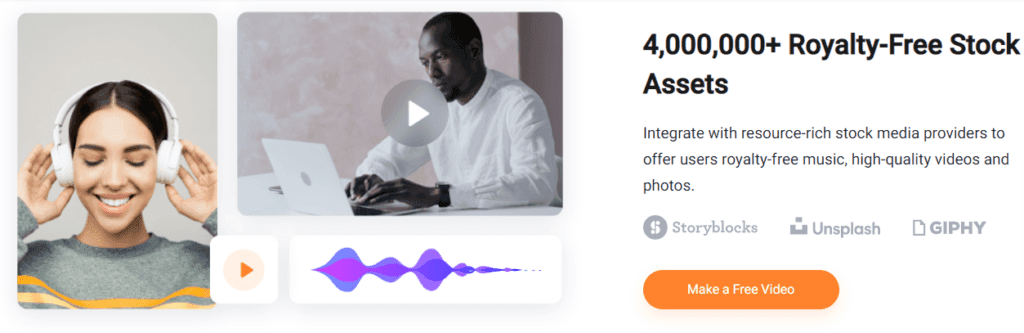
In addition to its easy-to-use templates, FlexClip also boasts an extensive content library. This library is packed with a wide range of resources, including stock photos, videos, music, and sound effects. All of these resources are carefully curated and organized, making it easy for users to find the content they need to bring their projects to life. Whether you’re creating a promotional video or a social media post, FlexClip’s content library has everything you need to get the job done.
Dynamic text options
It also offers a range of dynamic text options that allow users to add captions, subtitles, and other text elements to their videos. The text options are highly customizable, allowing users to change the font, size, color, and alignment of the text to suit their needs. This makes it easy for users to add an extra level of information and detail to their videos, helping to engage and inform their audience.
Music library with sound effects
It has a music library with sound effects that users can incorporate into their projects. The music library is extensive, offering a wide range of tracks to choose from, including background music, sound effects, and vocal tracks. All of the tracks are high quality and royalty-free, so users can use them in their projects without any worries about copyright. The sound effects library is also extensive, offering a wide range of sound effects to help bring your videos to life.
Cloud-based platform
Finally, FlexClip is a cloud-based platform, which means that all of your projects are stored in the cloud and accessible from anywhere with an internet connection. This makes it easy for users to access their projects from multiple devices, collaborate with others, and share their projects with their audience. The cloud-based platform also makes it easy for users to keep their projects organized and up-to-date, without the need for any additional storage or backup solutions.
Multiple text boxes per scene
The feature of having multiple text boxes per scene in FlexClip is a useful tool for video creators. This feature allows you to add multiple text boxes within a single scene, allowing for more creative and dynamic storytelling. For example, you can add a dialogue between two characters, show lyrics to a song, or display multiple quotes or captions in one scene. This feature can also help to break up longer pieces of text, making it easier to read and understand for the viewer. Overall, having multiple text boxes per scene is a valuable tool for video creators who want to add more dimension and interest to their projects.
Additional Features
These are some additional features of FlexClip that allow for even more creativity and flexibility in video editing. The multi-track audio option allows you to add and edit multiple audio tracks in a scene, allowing for better control over the sound in your video. The mark trimmed video parts feature allows you to keep track of the parts of your video that you have trimmed, making it easier to remember what you have removed. The undo button is a handy feature that lets you undo any mistakes or changes you have made in your video, allowing you to quickly revert to a previous version. With these and other features, FlexClip offers a comprehensive and user-friendly video editing experience.
Tools of Flexclip
Adding logo, Text, and Watermark
Adding logo, text, and watermark are features in Flexclip, a video editing software that allows users to customize their videos by adding their own personal touch.
Logo: Users can add their own logo or brand image to the videos they create in Flexclip. This feature can help users promote their brand and increase visibility. The logo can be added in different sizes and styles, and it can be placed anywhere in the video.
Text: Flexclip also allows users to add text to their videos. This can be used for captions, subtitles, or to add a message or description to the video. Users can choose from a variety of text styles, font sizes, and colors to make their text stand out.
Watermark: The watermark feature in Flexclip allows users to add a semi-transparent image or text to their videos. This is typically used to add branding or to protect the video from being copied or used without permission. Users can place the watermark in any location they choose and adjust its size and transparency to suit their needs.
By combining these features, Flexclip provides users with a powerful tool for customizing and personalizing their videos, making it easier to create professional-looking content.
Video Editing Tools
Flexclip is a powerful video editing tool that offers several features to help you create stunning videos in minutes. Some of the key features include:
- Compressing: Flexclip allows you to compress your videos to reduce their file size without sacrificing the video quality. This is especially useful when you need to upload a video to a platform with a file size limit.
- Converting: Flexclip supports multiple video formats and allows you to convert your videos to a different format, making it easy to share with others.
- Trimming: Flexclip makes it easy to trim your videos by allowing you to select specific portions of the video to keep. You can remove unwanted parts of the video, or simply shorten its length.
- Splitting: Flexclip enables you to split your videos into multiple parts, giving you more control over the final output. This is useful for creating shorter clips from a longer video, or for splitting a video into separate parts to upload to different platforms.
Making memes and GIFs using flexclip
It also has the capability to create memes and GIFs. With Flexclip, users can select a portion of a video, add captions and other elements, and then export it as a short, looping clip in the form of a GIF. This can be used for a variety of purposes, including adding humor to social media posts, creating eye-catching advertisements, or even just for fun.
The process of making memes and GIFs with Flexclip is simple and straightforward, allowing even those without prior video editing experience to create high-quality, engaging content. With a user-friendly interface, customizable options, and a wide range of templates and effects to choose from, Flexclip makes it easy to turn your video footage into fun and shareable content.
Adjusting the speed, Rotating, Flipping, and Zooming of videos.
Flexclip is a video editing tool that allows users to make various changes to their videos. Some of these features include adjusting the speed, rotating, flipping, and zooming of videos.
Speed adjustment allows users to change the playback speed of their video, making it faster or slower. This can be useful for creating time-lapse or slow-motion effects.
Rotating allows users to turn their video in any direction, either 90, 180 or 270 degrees. This can be useful if the video was recorded in the wrong orientation.
Flipping allows users to flip their video horizontally or vertically, giving it a reversed appearance. This can be used to create interesting effects or to fix a video that was recorded upside-down.
Zooming allows users to zoom in or out on specific parts of the video, either for artistic or practical purposes. This can be used to focus on a specific object or person in the video, or to create a panning effect.
Flexclip also provides advanced editing tools for more experienced users, such as video effects, transitions, and text animations. With these tools, you can further enhance your video and make it truly unique.
Flexclip Templates
FlexClip is a user-friendly video editing software that offers a wide range of templates to help users create videos with ease. These templates are divided into different categories such as Business, Personal, Social Media, Marketing, Tutorials, and more.
The business templates in FlexClip are ideal for creating business-related video content. These templates come with preloaded stock videos and transitions that can be customized according to your requirements. The personal templates, on the other hand, are perfect for creating videos for special occasions like birthdays, anniversaries, baby showers, etc. They allow users to combine personal photographs and video clips to create a memorable video.
The social media templates in FlexClip are designed for creating videos targeting specific social media platforms like Instagram, Facebook, and Twitter. These templates come with pop-up icons, transitions, and music that is popularly used on different platforms. FlexClip also has the option to upload videos directly to YouTube with the help of its file-sharing option for web streaming.
For advertising and marketing purposes, FlexClip has a great collection of video templates. Whether you are a freelancer or a business owner, you can create great marketing videos with the help of the FlexClip template collection. The software also has a selection of How-to and Tutorial templates that are perfect for creating instructional videos.
Overall, FlexClip has an impressive gallery of templates covering different categories such as Sports & Fitness, Restaurants, Arts & Culture, Travel, Nature, Kids, and Lifestyle. Although the filters could work together concurrently for a more targeted result, the templates in FlexClip are a great resource for users looking to create professional-looking videos with ease.
Why Flexclip is Better than Other Video Editing Software?
Flexclip offers a wide range of features for creating, editing and enhancing videos. In comparison to other video editing software, Flexclip offers a few unique features such as cloud-based functionality, a user-friendly interface, and a vast collection of media assets, including stock videos, music, and photos.
One of the main differences between Flexclip and other video editing software is its cloud-based functionality, which means that you can access your projects from anywhere and collaborate with others in real-time. This is especially useful for remote teams who need to work on the same project from different locations.
Another advantage of Flexclip is its user-friendly interface, which makes it easy for both novice and professional users to create and edit videos. It has a simple drag-and-drop interface, allowing users to quickly add elements to their videos, such as photos, text, and music.
Flexclip also offers a vast collection of media assets, including stock videos, music, and photos, which you can use in your projects. This is a unique feature compared to other video editing software, as most of them require you to source your own media assets.
In comparison to other popular video editing software, such as Adobe Premiere, Flexclip is a more affordable and accessible option for individuals and small businesses. However, it may lack some of the advanced features and editing capabilities that professional video editors require.
How to Use Flexclip?
Using FlexClip is quite simple and straightforward. Here are the basic steps for using this software:
- Create an account: To use FlexClip, you need to create an account. You can do this by visiting the FlexClip website and clicking on “Sign Up” or “Sign In.” If you already have an account, simply log in.
- Choose a project type: After logging in, you can choose between creating a video, slideshow, or a logo animation. Select the type of project you want to create.
- Upload your media: FlexClip allows you to upload your own photos, videos, and audio files. You can also use stock media from the FlexClip library.
- Edit your project: Once you have added your media, you can start editing your project. FlexClip offers a wide range of editing tools, including trimming, splitting, adding text, transitions, and music.
- Preview and export: After editing your project, you can preview it and make any final tweaks. When you’re happy with your project, you can export it in various resolutions and file formats, such as MP4, MOV, AVI, and more.
These are the basic steps for using FlexClip. You can explore the various features and tools offered by the software to create professional-looking videos, slideshows, and animations in no time.
Summary of the FlexClip Review


In my personal experience with FlexClip, I found the software to be incredibly user-friendly, with a simple and intuitive interface that makes video editing accessible to everyone. The extensive library of content, including videos, images, and music, allowed me to quickly and easily create a high-quality video without having to spend hours searching for the perfect content.
Reviews from other sources (Techjury, Trustpilot, FinancesOnline)
Other sources have also given FlexClip high marks for its ease of use and high-quality exports. Techjury gave FlexClip an overall rating of 9.1/10, praising its intuitive interface and extensive content library. Trustpilot users also rated the software highly, with a majority of users giving FlexClip a 5-star rating. Meanwhile, FinancesOnline gave FlexClip a user satisfaction score of 97%.
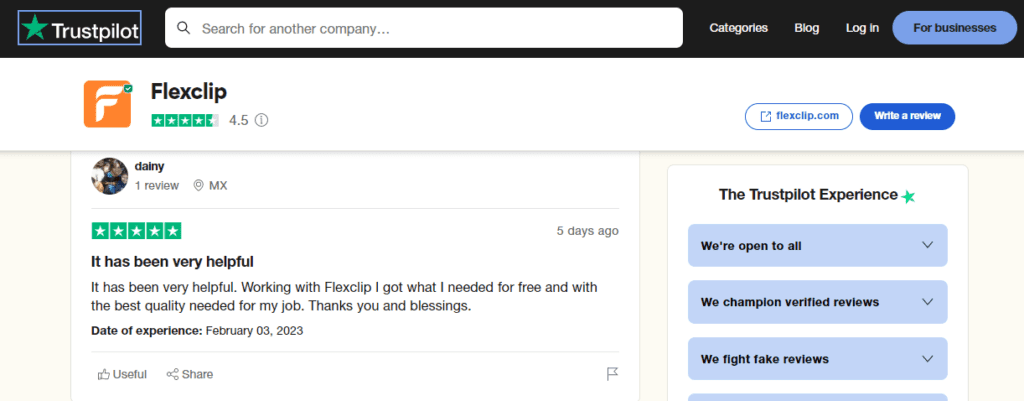


Ratings and feedback from users
In addition to these review sites, users have also given FlexClip high marks for its value for money and the quality of its exports without watermark. Many users also appreciate the reasonable pricing, including the lifetime deal offered by FlexClip, which provides users with access to all features and updates for a one-time payment.
Pros
- FlexClip has a clean and intuitive interface that makes it easy for anyone to start editing videos, regardless of their prior experience.
- It offers a wide range of templates for different categories such as weddings, birthdays, travel, etc. This makes it easy for users to create professional-looking videos in a short amount of time.
- It allows users to import media from a variety of sources, including their local computer, online cloud storage, or even social media sites.
- It has a rich set of editing tools that allow users to make their videos look professional. From adding text, music, and effects to changing the video’s brightness, speed, and orientation, FlexClip has everything that you need to create engaging videos.
- It allows multiple users to collaborate on the same video project, making it easy for teams to work together and get the job done faster.
Cons
- Although FlexClip offers a range of features, it may not have the video quality that professional video editors are looking for.
- Some advanced features of FlexClip, such as the ability to remove watermarks or export high-quality videos, are only available for paid users.
- FlexClip only supports a limited range of video formats, which may not be suitable for users who need to import videos from a specific camera or device.
- It has storage limitations, which may not be suitable for users who need to store large amounts of media files.
- Some users may experience performance limitations when using FlexClip, especially if they are working on large or complex video projects.
Plans and Pricing
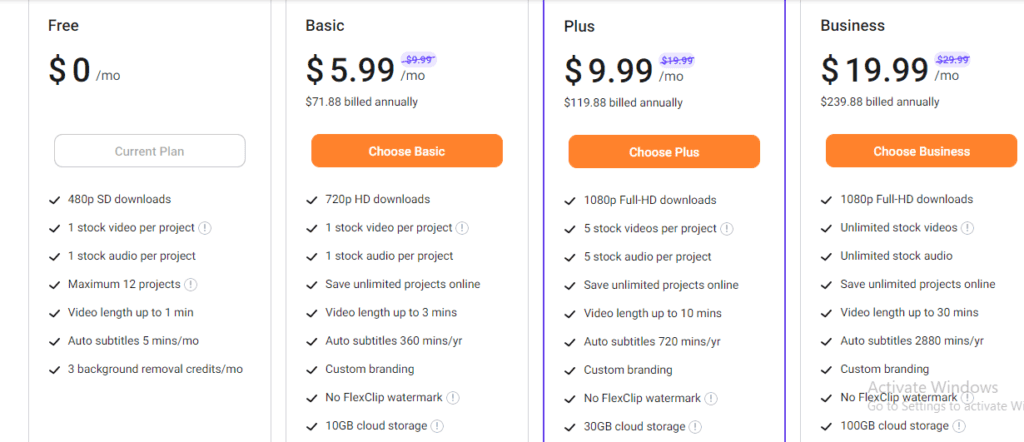
FlexClip offers several pricing plans for its users to choose from. These plans are:
Free Plan
This plan offers 480p SD downloads, 1 stock video per project, 1 stock audio per project, and a maximum of 12 projects. The video length is up to 1 minute, with 5 minutes of auto subtitles per month, and 3 background removal credits per month.
Basic Plan
This plan costs $5.99 per month (or $71.88 billed annually) and offers 720p HD downloads, 1 stock video per project, 1 stock audio per project, and the ability to save unlimited projects online. The video length is up to 3 minutes, with 360 minutes of auto subtitles per year, custom branding, and no FlexClip watermark. The plan also includes 10GB of cloud storage, 50GB of video hosting space, and the ability to upload custom fonts.
Plus Plan
This plan costs $9.99 per month (or $119.88 billed annually) and offers 1080p Full-HD downloads, 5 stock videos per project, 5 stock audio per project, and the ability to save unlimited projects online. The video length is up to 10 minutes, with 720 minutes of auto subtitles per year, custom branding, and no FlexClip watermark. The plan also includes 30GB of cloud storage, 100GB of video hosting space, and the ability to upload custom fonts.
Business Plan
This plan costs $19.99 per month (or $239.88 billed annually) and offers 1080p Full-HD downloads, unlimited stock videos, unlimited stock audio, and the ability to save unlimited projects online. The video length is up to 30 minutes, with 2880 minutes of auto subtitles per year, custom branding, and no FlexClip watermark. The plan also includes 100GB of cloud storage, 1TB of video hosting space, and the ability to upload custom fonts.
All plans offer unlimited video exports, and the Plus and Business plans include more customization options, such as the ability to save up to 10 and 100 templates, respectively. Additionally, the Business plan also includes 500 background removal credits per month and reseller rights.
FAQs
What is FlexClip?
FlexClip is a free, easy-to-use online video editor that allows you to create engaging and professional-looking videos in minutes.
Does FlexClip have a mobile app?
No, FlexClip is an online platform that can be accessed through a web browser on a computer or mobile device.
Is FlexClip free to use?
Yes, FlexClip offers a free plan with basic features, and paid plans with additional features are also available.
Can I add my own music to a video in FlexClip?
Yes, you can upload your own music or choose from a variety of royalty-free music options in FlexClip’s library.
Does FlexClip have a limit on the length of the video I can create?
No, there is no limit on the length of the video you can create with FlexClip, but the free plan does have a watermark on the final product.
How do I save my video in FlexClip?
You can save your video to your computer or directly share it to social media from the FlexClip platform.
Does FlexClip support 4K resolution?
Yes, FlexClip supports 4K resolution for video export.
Can I collaborate with others on a video project in FlexClip?
No, at this time FlexClip does not have a collaboration feature for multiple users to work on the same video project.
Can I import video clips from other sources into FlexClip?
Yes, you can import video clips from your computer or directly from social media platforms like YouTube and Instagram.
Does FlexClip have a trial period?
No, FlexClip does not offer a trial period, but you can start using it for free with basic features.
Conclusion
FlexClip is a powerful yet easy-to-use video editing software that offers a wide range of features to help you create professional-looking videos. From basic video editing functions such as trimming, splitting, and merging, to more advanced features such as multi-track audio options and templates, FlexClip provides everything you need to create high-quality videos. In addition, FlexClip also provides various customization options, such as changing the brightness and speed of your videos, adding logos, texts, and watermarks, and much more.
Final thoughts on FlexClip
In conclusion, FlexClip is a great option for anyone who is looking for an efficient and user-friendly video editing software. Whether you are a beginner or a professional content creator, FlexClip provides an easy-to-use interface and a wide range of features to help you create high-quality videos that meet your needs. The software is also available at a very reasonable price, making it accessible to everyone.
Recommendation for potential users
If you are in the market for a video editing software, FlexClip is definitely worth considering. Whether you are creating videos for your personal life, business, or social media, FlexClip has everything you need to create professional-looking videos. With its user-friendly interface and wide range of features, FlexClip is a great option for anyone who wants to take their video content to the next level.
Our Sample Article

Benefits of Meditation: Unlocking Peace and Productivity
Shahidujzaman Shahid · May 29, 2024
How to Choose a Probiotic: Your Essential Guide
Shahidujzaman Shahid · May 29, 2024
Why Does My Cat Keep Throwing Up? Uncover the Causes!
Shahidujzaman Shahid · May 29, 2024