How to Create an Amazon Affiliate Website for Free?
Unlock the secrets of affiliate marketing! Learn how to create an Amazon affiliate website for free and start earning today with our step-by-step guide.
Creating an Amazon affiliate website without spending a dime might sound impossible.
You’ll see it’s not. This guide walks you through each step.
You’ll learn to pick a niche, set up a free site, apply to Amazon, add affiliate links, create content, drive traffic, and even automate posts with Affpilot AI.
Ready to get started?
Why Build an Amazon Affiliate Website?

You’re here to earn commission. Amazon pays up to 10% per sale. More sales mean more income. You don’t need a budget. Free tools and platforms exist. You only invest time. Can you afford that? Let’s dive in.
Pick Your Profitable Niche
Your site needs focus. A niche helps you stand out. It guides content ideas and attracts targeted visitors.
1.1 Why niche matters
- You solve specific needs.
- Search engines rank focused sites higher.
- Readers trust experts in a narrow field.
1.2 How to choose
- List your passions. What do you love?
- Check Amazon best-seller lists. Which categories sell most?
- Use free keyword tools (e.g., Google Keyword Planner) to find search volume.
- Aim for mid-volume, low-competition keywords.
1.3 Validate your niche
Ask yourself: “Can I create at least 50 article ideas here?” If yes, you’re set. If no, refine your focus.
Choose a Free Platform

You need a website. Paid hosting is optional. Here are top free platforms:
| Platform | Pros | Cons |
| WordPress.com | Reliable, built-in audience | Limited plugins, free theme only |
| Blogger.com | Easy setup, integrates with Google tools | Less customization |
| Medium.com | Built-in traffic, simple editor | No custom domain, affiliate links rules |
Pick one. WordPress.com offers the most control. Blogger works well for beginners. Medium helps you test content ideas without setup.
Grab Your Free Domain or Subdomain
A domain builds credibility. Paid domains cost money. You can start with a free subdomain:
- WordPress.com: yoursite.wordpress.com
- Blogger.com: yoursite.blogspot.com
If you want a custom free domain, try Freenom (.tk, .ml). Free domains may feel less professional. Weigh pros and cons.
Set Up Your Site Step by Step
No coding needed. Follow these steps for WordPress.com (similar for Blogger).
- Sign up at wordpress.com.
- Choose your subdomain (e.g., mygadgetsreview.wordpress.com).
- Select a free theme that loads fast and looks clean.
- Customize site title and tagline. Make it clear and keyword-rich.
- Create key pages:
- Home: Brief intro + recent posts.
- About: Who you are + why readers should trust you.
- Contact: Simple form or email link.
- Home: Brief intro + recent posts.
- Set navigation menu to help readers find posts and pages.
Active voice, minimal text per line, clear menu labels.
Join the Amazon Affiliate Program
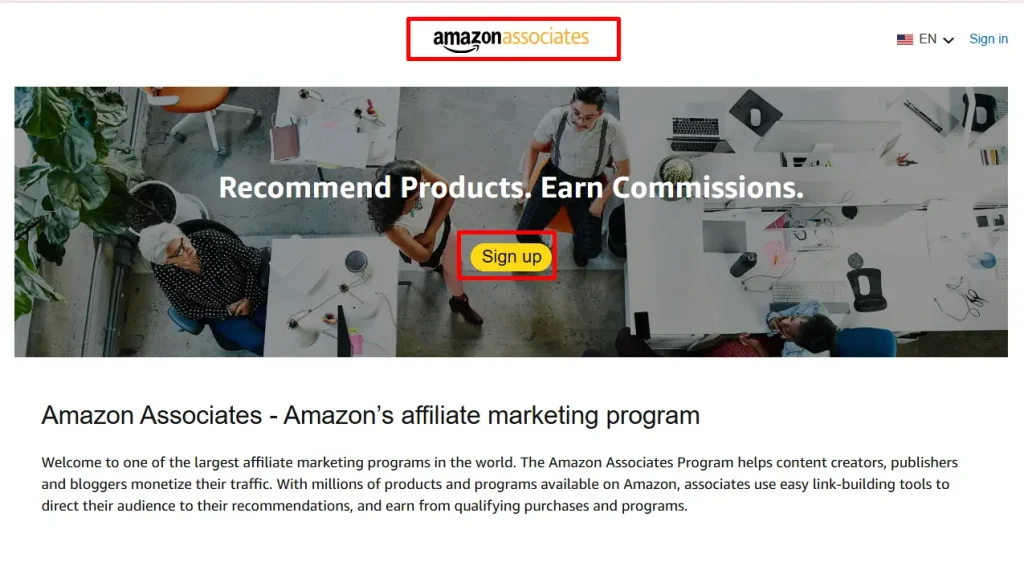
You need approval to earn commission.
- Go to affiliate-program.amazon.com.
- Sign in or create your Amazon account.
- Fill out your website info. Provide your free site URL.
- Explain how you drive traffic. Be honest: “I publish free articles and share on social media.”
- Wait for approval. Usually 24–48 hours.
- Create your first affiliate link in the dashboard—even before approval, you can generate links.
You get 180 days to make your first sale. Plan content accordingly.
Add Affiliate Links Like a Pro
Once approved, you’ll see the Amazon Associates Central dashboard.
6.1 Creating a link
- Search for a product by ASIN or keyword.
- Click “Get link”.
- Choose text link. Copy the URL.
6.2 Embedding in posts
- Highlight text in your editor.
- Click insert link. Paste the Amazon URL.
- Use no-follow on all affiliate links to comply with guidelines.
6.3 Best practices
- Link naturally within content.
Use call-to-action buttons:
<a href=”your-affiliate-link” rel=”nofollow” target=”_blank”>
<button>Check Price on Amazon</button>
</a>
- Always disclose your affiliate partnership at the top:
Disclaimer: We earn a commission if you make a purchase through our links at no extra cost to you.
Craft Your First Affiliate Posts
Your posts drive clicks. Structure them clearly.
7.1 Post structure
- Attention-grabbing headline (includes main keyword).
- Short intro: State the problem. Promise a solution.
- Product overview: What it does. Key specs.
- Pros and cons: Honest, bullet format.
- Who it’s for: Identify ideal reader.
- Step-by-step usage tips: Show how to use the product.
- Conclusion: Strong call to action.
7.2 Writing tips
- Keep sentences under 20 words.
- Use active voice: “You’ll install this in minutes.”
- Pose a question: “Need a budget wireless keyboard?”
- Use subheadings to break text.
- Insert images from Amazon with proper alt text.
Optimize for Search Engines
Free hosting doesn’t mean no SEO. You can rank high.
8.1 On-page SEO
- Title tag: ≤ 60 characters, include keyword.
- Meta description: ≤ 155 characters, persuasive.
- Header tags: Use H1 for title, H2 for main sections.
- Keyword placement: In first 100 words, headers, and naturally throughout.
8.2 Content SEO
- Write at least 1,200 words per post.
- Answer search intent fully: features, pricing, alternatives.
- Link internally to other posts.
8.3 Technical SEO
- Enable HTTPS (WordPress.com and Blogger do this by default).
- Use a fast theme.
- Compress images (free tools like TinyPNG).
Drive Traffic Without Spending
No ad budget? No problem. Use free channels.
9.1 Social media
- Share on Facebook groups and pages.
- Create Pinterest pins for each post.
- Tweet product highlights with affiliate link.
9.2 Forums and Q&A
- Answer questions on Quora. Show expertise. Link to your site when relevant.
- Join niche forums. Provide value. Include your link in signature.
9.3 Email list
- Use free Mailchimp plan for up to 2,000 subscribers.
- Offer a simple lead magnet: a PDF checklist related to your niche.
9.4 Guest posting
- Write for other blogs in your niche.
- Include a link to your site in author bio.
Track Performance and Grow
You need data to improve.
10.1 Amazon dashboard
- Check clicks, orders, and earnings.
- Identify top-performing products.
10.2 Google Analytics (free)
- Set up account.
- Track pageviews, bounce rate, and user flow.
- See which traffic sources bring the most visitors.
10.3 Iterate
- Update posts that underperform.
- Add new products to top posts.
- Repurpose content into videos or slideshows.
Scale Up with Automation
Manual writing works. But you can save hours with automation.
- Publish daily posts without fatigue.
- Embed affiliate links automatically.
- Keep content fresh with AI-driven updates.
What if you could generate 100 product reviews in one click? Or scale to 1,000 articles? You can.
Meet Affpilot AI – Your Auto-Blogging Ally
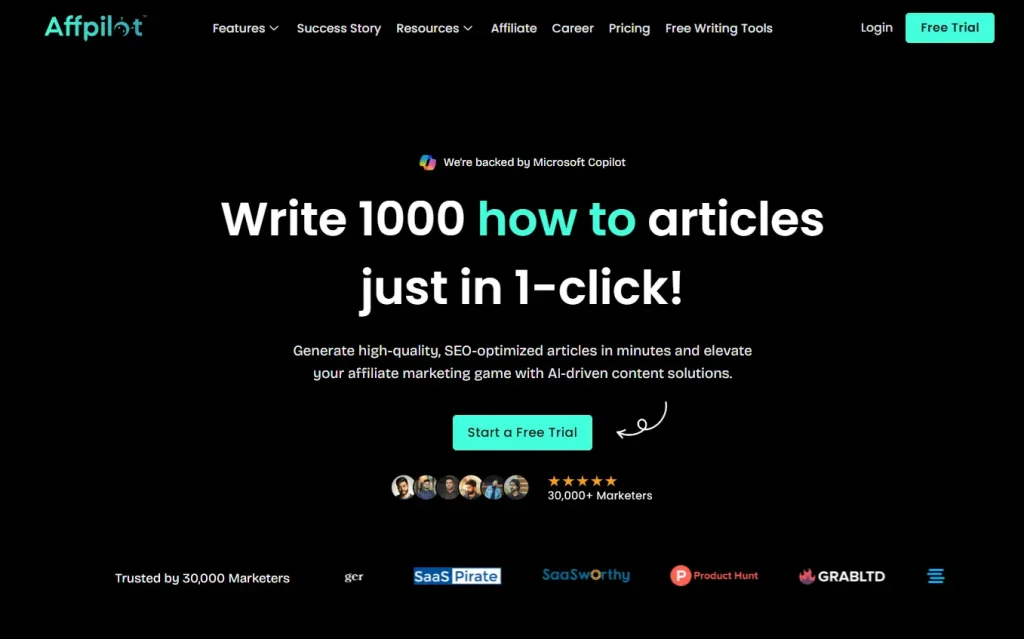
Affpilot AI automates your Amazon affiliate content. It writes and publishes posts with your affiliate links embedded. You only provide the seed keywords.
12.1 Key features
- Bulk article generation: Create up to 1,000 Amazon affiliate posts in minutes.
- Real-time product data: Pulls product details, specifications, and images directly from Amazon.
- Direct publishing: Connect to WordPress or Blogger. One click and your posts go live.
- SEO optimization: Each post includes meta titles, descriptions, and keyword placement.
- Customizable templates: Match your brand tone and structure.
12.2 How it works
- Log in to Affpilot.
- Choose “Auto-Blogging” feature.
- Enter up to 1,000 keywords, one per line.
- Set your store ID and toggle on affiliate link embedding.
- Select article length and style.
- Click “Generate & Publish.” Watch your site fill with quality content.
12.3 Why Affpilot AI matters
- You save hours of research and writing.
- You maintain consistent publishing—Google rewards fresh content.
- You scale without hiring writers.
Your Next Steps
You have the blueprint. You can launch your free Amazon affiliate site today. You can write posts by hand or automate with Affpilot AI. Which will you choose?
- Take action now. Set up WordPress.com or Blogger.com in 10 minutes.
- Apply to Amazon Affiliate. Generate your first link.
- Draft your first review. Follow the structure in Chapter 7.
- Consider Affpilot AI. Sign up for a free trial and test bulk publishing.
You’re ready to build, publish, and earn—without spending a cent.
What will you create first?
Our Sample Article

Benefits of Meditation: Unlocking Peace and Productivity
Shahidujzaman Shahid · May 29, 2024
How to Choose a Probiotic: Your Essential Guide
Shahidujzaman Shahid · May 29, 2024
Why Does My Cat Keep Throwing Up? Uncover the Causes!
Shahidujzaman Shahid · May 29, 2024