How to Sign Up for Amazon Affiliate Program Without Website (Step-by-Step Guide)
Want to earn online? Learn how to sign up for Amazon Affiliate Program without website and turn your passion into profit!
Amazon’s affiliate program is one of the easiest ways to earn passive income online. But many beginners get stuck on one thing:
Do I need a website to join?
The short answer is no.
Yes, Amazon asks for a website during the sign-up process. But that doesn’t mean you must have a traditional website or blog.
There are several workarounds—and in this guide, you’ll learn exactly how to sign up for the Amazon affiliate program without a website. I’ll also share tools and strategies to start making commissions fast, even if you’re starting from scratch.
What Is the Amazon Affiliate Program?
Amazon Associates is Amazon’s official affiliate program. When you sign up, you get special links to Amazon products.
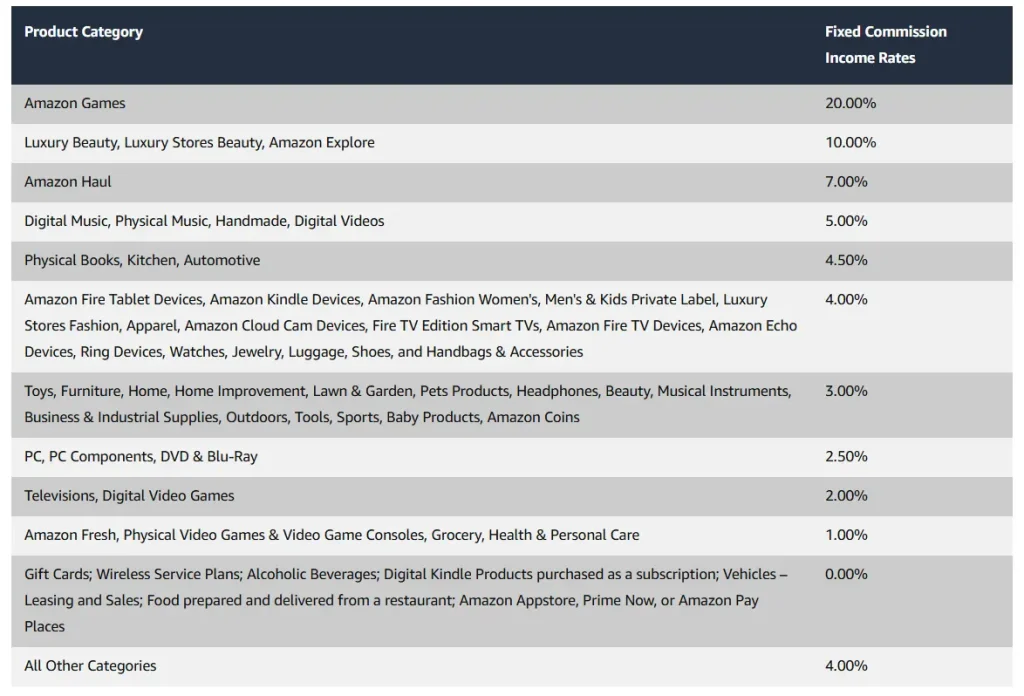
If someone clicks your link and buys something, you earn a small commission—usually between 1% to 10%.
You can promote:
- Kitchen gadgets
- Tech products
- Beauty items
- Books
- Fitness equipment
- Pretty much anything Amazon sells
And the best part?
You don’t need to be an expert or own a blog.
Is a Website Required for Amazon Affiliate Program?
Technically, yes. Amazon’s sign-up form asks for a “Website or Mobile App URL.”
But here’s the twist:
You can enter other types of platforms instead. Think of YouTube, Instagram, Facebook pages, or even email newsletters.
Amazon just wants to know where you’ll promote their products.
So, instead of a blog, you can submit:
- A YouTube channel
- A Facebook group or page
- An Instagram profile
- A TikTok account
- A Pinterest account
- An email newsletter with a landing page
- Medium.com blog (free)
Step-by-Step: How to Sign Up Without a Website
Let’s walk through it.
✅ Step 1: Create a Platform (If You Haven’t Already)
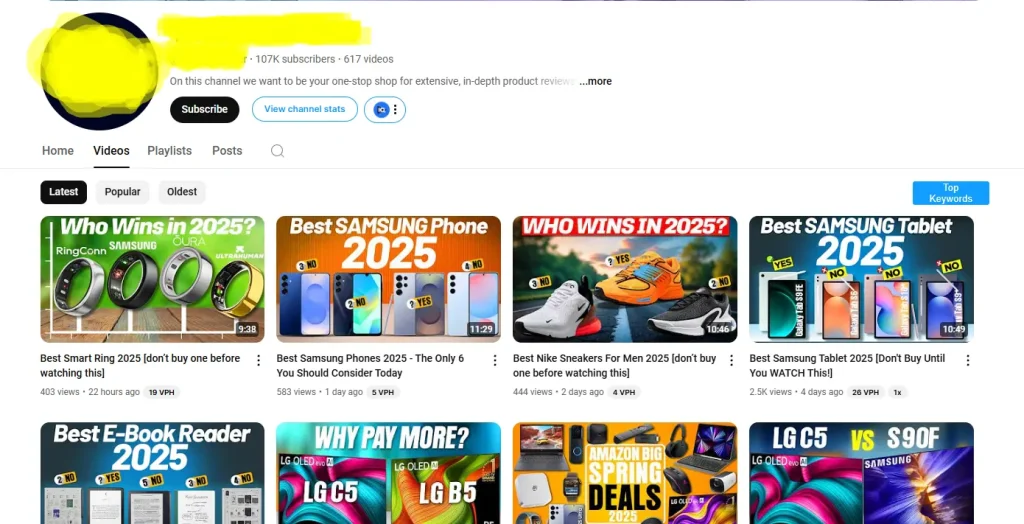
Choose a platform where you’ll post content and share affiliate links.
If you’re not sure where to start:
- YouTube (great for unboxing or product tutorials)
- Instagram or TikTok (for quick product reviews)
- Facebook group (focused on a niche like travel gadgets or baby products)
- Pinterest (works well for niches like home décor or fashion)
- Medium.com (write simple product listicles)
Whichever you choose, just make sure it’s public.
If you’re just testing the waters, create a free Medium.com account and publish a few basic articles like “Top 5 Office Gadgets on Amazon.”
✅ Step 2: Visit the Amazon Associates Sign-Up Page
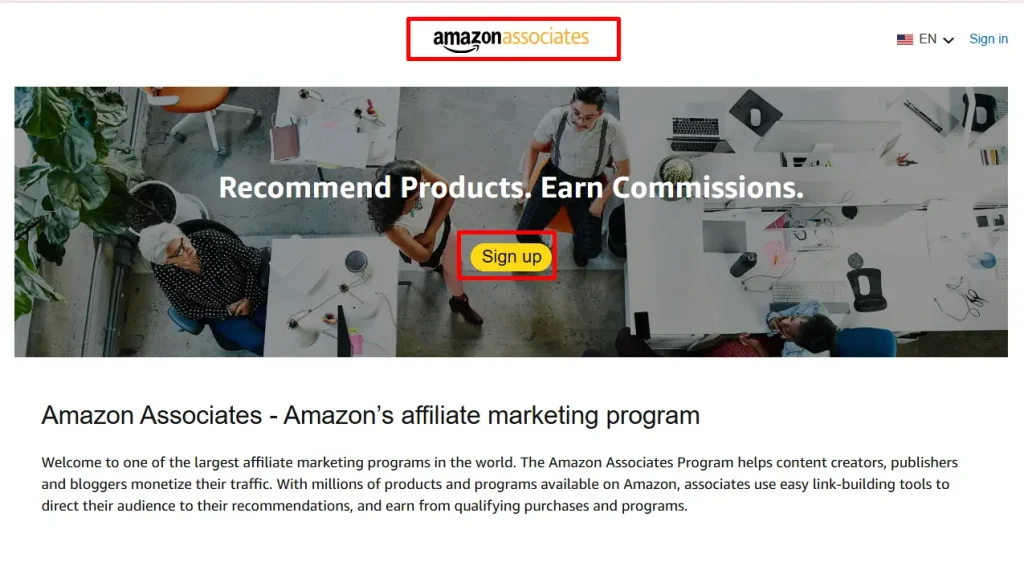
Go to: https://affiliate-program.amazon.com
Click “Sign Up” and log in with your existing Amazon account.
✅ Step 3: Fill Out Account Info
Add your name, address, and contact info. Nothing tricky here.
✅ Step 4: Enter Your “Website” or Profile URL
This is where most people get stuck.
Instead of a website, paste the link to your YouTube channel, Instagram profile, Facebook group, or Medium blog.
Yes, Amazon accepts these. Many affiliates are doing it.
⚠️ Just make sure your profile or page is public, not private.
✅ Step 5: Create Your Store ID
This is just a short nickname. It can be anything like “BestDeals247” or “SarahReviews.”
✅ Step 6: Choose Topics and Products
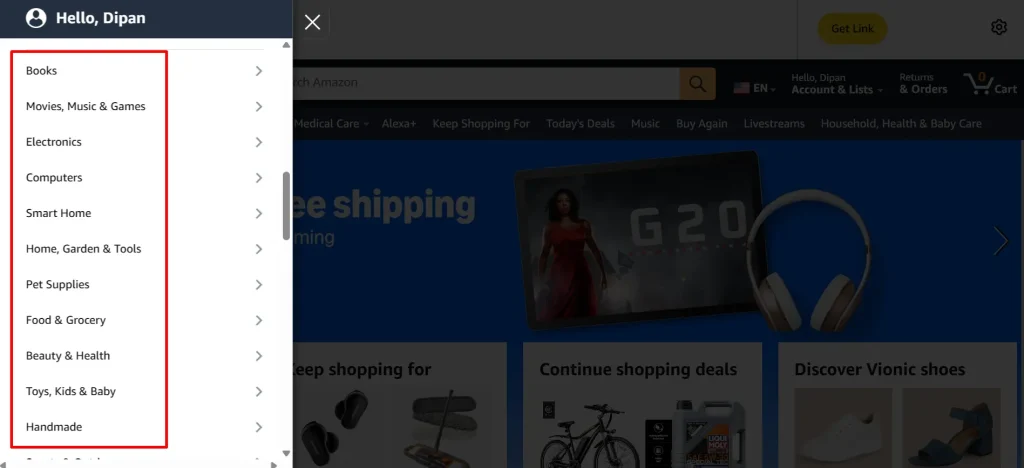
Amazon will ask what type of products you want to promote. Just pick your interests.
For example:
- Electronics
- Beauty
- Kitchen
- Fitness
- Toys
- Books
Then choose how you plan to drive traffic. You can pick:
- Social networks
- SEO (search engines)
- Paid ads (optional)
✅ Step 7: Explain How You’ll Promote Amazon Products
They’ll ask, “How do you plan to drive traffic to your site?”
Just be honest.
Example answer:
“I plan to post product reviews on my Instagram page and YouTube channel. I will use organic content and some paid promotion to grow my audience.”
That’s enough.
✅ Step 8: Finish the Process
Agree to the terms and click “Finish.”
Boom—you’re now an Amazon Associate!
But there’s a catch.
You Need to Make 3 Sales in 180 Days
Amazon will give you a temporary account at first.
To keep your account active, you must generate at least 3 sales within 180 days. Otherwise, your account will be closed.
If that happens, don’t panic. You can apply again.
But the goal is to get those first few sales quickly.
Let’s talk about how.
How to Start Earning Without a Website
Here are 5 practical ways to start getting traffic and clicks to your Amazon links without building a full blog.
1. Create a Product-Focused Instagram or TikTok
People love product recommendations in short videos.
Start a profile focused on a niche like:
- Kitchen gadgets
- Home decor
- Beauty tools
- Fitness gear
Record simple unboxing, reviews, or “Top 3” videos. Use Amazon links in your bio (via Linktree or Beacons).
2. Start a Facebook Group
Build a small community around a topic. Let’s say:
- “Healthy Cooking for Busy Moms”
- “Travel Hacks and Deals”
- “Pet Toys and Reviews”
Post Amazon product lists, use photos or reviews, and drop your affiliate links.
3. Use Medium.com to Write Product Reviews
Medium is free and SEO-friendly.
Write posts like:
- “5 Must-Have Gadgets for Small Apartments”
- “Top Amazon Beauty Products Under $30”
Use your affiliate links in the content.
4. Start a YouTube Channel
No need to go viral.
Just record with your phone. Talk about:
- Your favorite Amazon finds
- Honest reviews
- “Top 5” lists
Add affiliate links in the video description. If your videos help people decide what to buy, they’ll click.
5. Use Pinterest to Share Product Pins
Pinterest is a visual search engine.
Make image pins with Canva, then link to your Medium articles or direct Amazon links (depending on Amazon’s rules for your region).
Pro Tip: Automate Your Content with Affpilot AI
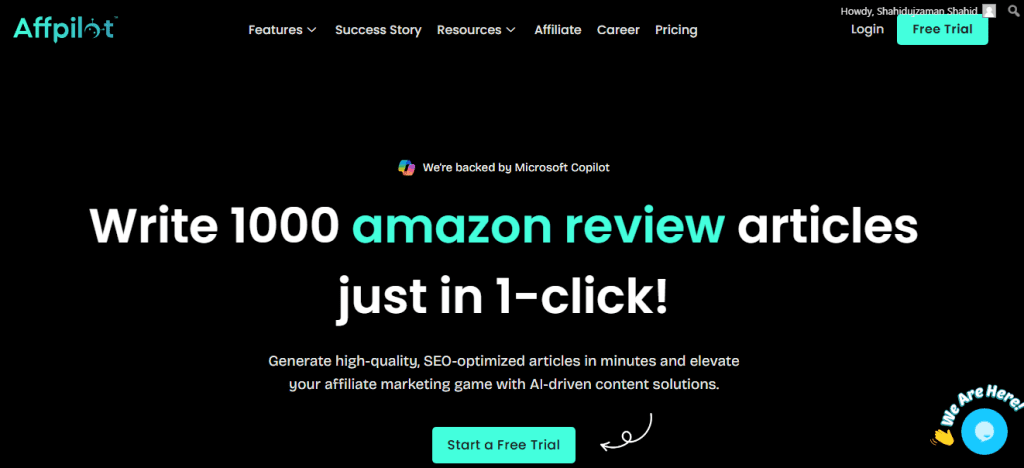
Now that you’re in the Amazon affiliate program, you’ll need content to promote products—reviews, comparisons, listicles.
But writing manually takes time.
That’s where Affpilot AI can help you win.
✳️ What Is Affpilot AI?
Affpilot AI is an auto-blogging tool made for Amazon affiliates.
It lets you:
- Write product reviews in seconds
- Auto-generate SEO-optimized content
- Pull real-time data directly from Amazon
- Publish directly to your WordPress or Blogger site
- Even use it without an Amazon API
It’s built for beginners, bloggers, and marketers who want to scale fast.
✳️ Why Use Affpilot If You Don’t Have a Website?
Because you can create content for Medium.com, Facebook groups, newsletters, or just copy and paste reviews into any platform.
Here’s what you can do:
- Generate product review articles with just a keyword
- Customize tone, product count, and formatting
- Build content libraries for future posts
- Use persuasive reviews to boost your 3-sales goal
Even if you’re just starting out, Affpilot gives you that head start.
✳️ Quick Walkthrough of How It Works
- Sign up at Affpilot.com
- Choose Amazon Review Article
- Enter your keywords (e.g., “best budget headphones”)
- Select “Write without API” if you don’t have one yet
- Click generate
Boom. A full, SEO-ready article is ready in under 2 minutes.
You can post it anywhere—Medium, Quora, Facebook, LinkedIn.
✳️ Real Users, Real Results
“I tried Affpilot just to test, but after 3 months I was shocked by the results. It works better than most other AI tools I’ve used.” – Sofiur Rahman Khan, Digital Marketer
“Affpilot performs like a boom! It made my work easy.” – Md Srabon, Content Writer
Bonus Tips to Succeed Without a Website
Let’s make sure you keep your account active and actually earn commissions.
Here are some final tips:
- Pick a clear niche (tech, beauty, fitness, etc.)
- Focus on 1-2 platforms, not all at once
- Post consistently – daily or weekly content
- Use visuals – product images or videos get more clicks
- Test what works – try different titles, angles, or formats
- Track clicks – Amazon lets you see what’s getting traffic
And most importantly…
Take action. Don’t wait to have the perfect setup.
Final Thoughts
You don’t need a fancy blog or website to start earning with Amazon’s affiliate program.
You just need:
- A public platform (YouTube, Medium, Facebook)
- Some basic product content
- A working affiliate link
And tools like Affpilot AI can help you produce content at scale—without writing everything yourself.
So if you’ve been delaying because you don’t have a website, now you know the truth.
You don’t need one to get started.
Start small. Keep learning. Stay consistent.
Your first Amazon affiliate sale might be just one post away.
Ready to level up?
👉 Try Affpilot AI for free and start creating Amazon affiliate content in minutes—no tech skills needed.
Let the content work while you focus on promoting.
Let me know if you’d like this in Google Docs or want to convert it into a YouTube video script next.
Our Sample Article

Benefits of Meditation: Unlocking Peace and Productivity
Shahidujzaman Shahid · May 29, 2024
How to Choose a Probiotic: Your Essential Guide
Shahidujzaman Shahid · May 29, 2024
Why Does My Cat Keep Throwing Up? Uncover the Causes!
Shahidujzaman Shahid · May 29, 2024