Virtual Assistant Email Templates: Boost Your Productivity!
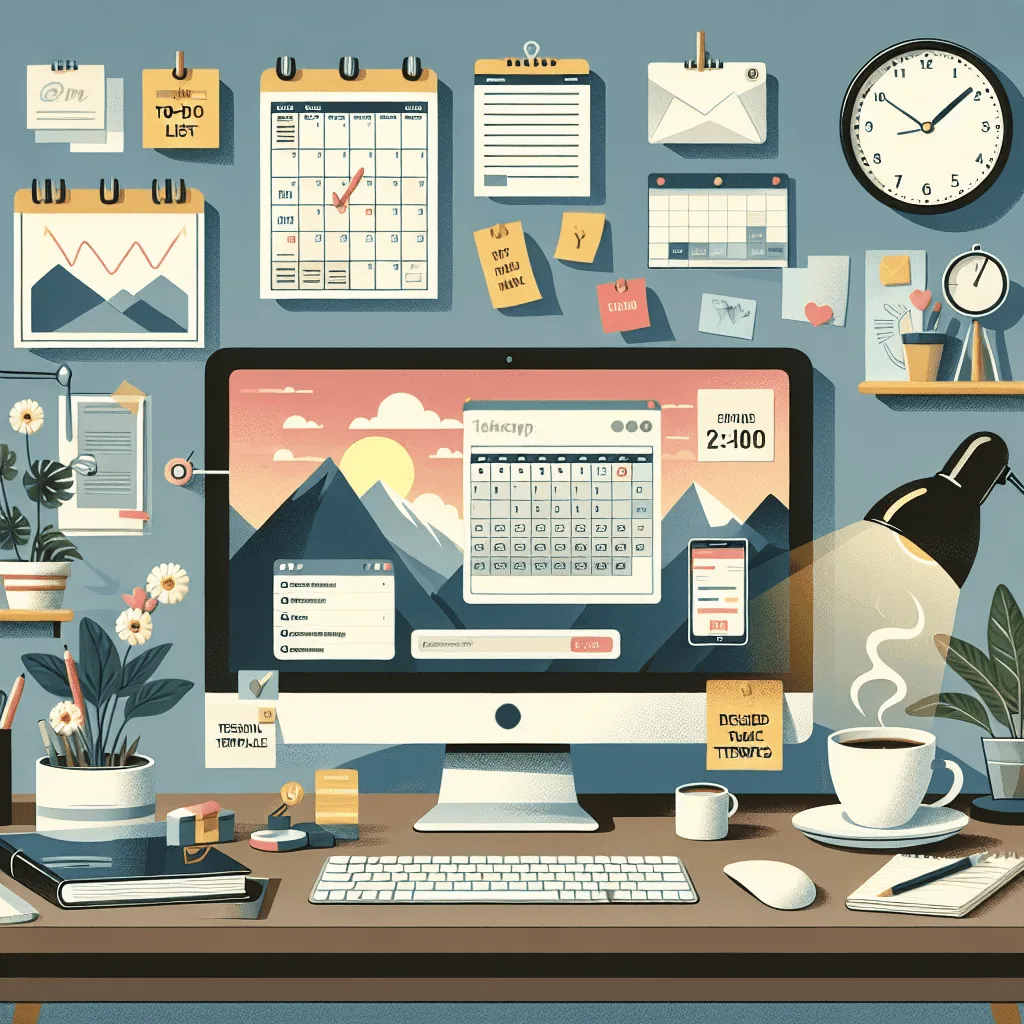
Virtual assistant email templates streamline communication and enhance efficiency. They ensure quick, consistent responses to common queries.
In the fast-paced digital world, efficiency and consistency are key to maintaining professional relationships and managing workflows. Virtual assistant email templates are an essential tool for anyone looking to optimize their email correspondence. These pre-designed formats save time and reduce the likelihood of errors, allowing virtual assistants to handle high volumes of emails with ease.
Whether you’re scheduling meetings, answering FAQs, or managing customer service inquiries, having a set of templates at your disposal can significantly improve productivity. By ensuring that each message is crafted with the right tone and information, virtual assistant email templates help maintain a high standard of communication, reflecting well on the business or individual they represent.
Introduction To Virtual Assistant Email Templates
Virtual Assistant Email Templates are pre-designed email formats that help manage daily communication tasks efficiently. They serve as a framework for sending quick, consistent, and professional messages. These templates are essential tools for anyone looking to streamline their email workflow.
Why Use Email Templates?
Email templates save time and maintain brand consistency. They help to:
- Speed up response time.
- Ensure consistent language and tone.
- Minimize errors in communication.
- Organize replies to common inquiries.
Impact On Productivity
Using email templates has a significant impact on productivity. By reducing the time spent on drafting emails, more time is available for other tasks. This efficiency leads to:
- Increased work output.
- Better time management.
- Improved client satisfaction.
Essential Components Of Effective Email Templates
Essential Components of Effective Email Templates are vital to ensure your message stands out. An excellent virtual assistant understands the power of well-crafted emails. They save time and boost productivity. Let’s explore the key elements that make email templates highly effective.
Clear Subject Lines
Subject lines are your first impression. They decide if an email gets opened or ignored. Keep them short and to the point. Reflect the email’s content clearly.
Personalization Elements
- Use the recipient’s name.
- Reference past interactions.
- Include details specific to the recipient’s needs or interests.
Personal touches show you value the receiver. It makes your emails feel less like a template and more like a conversation.
Strong Call To Actions
A Call to Action (CTA) drives the receiver to respond. Use action words like ”Register now” or ”Start your trial”. Make it easy for them to know what to do next.
Email templates with these components ensure efficient communication. They help maintain professionalism while keeping a personal touch. A virtual assistant using these templates will see better engagement and results.
Crafting Your First Template
Are you ready to create your first virtual assistant email template? This guide will help you craft an effective message that resonates with your audience. Let’s dive in!
Choosing The Right Tone
Setting the right tone is crucial for your email’s success. Consider these points:
- Know your audience: This shapes the tone of your email.
- Be professional yet approachable: Balance is key.
- Reflect your brand’s voice: Stay true to your brand identity.
For example, a law firm might use a formal tone, while a tech startup could opt for a more casual style.
Structuring Your Message
A well-structured email ensures clarity and engagement. Follow this structure:
- Greeting: Start with a polite introduction.
- Purpose: Clearly state the reason for your email.
- Body: Deliver your message in short, concise paragraphs.
- Call to Action: End with a clear instruction or request.
- Closure: Sign off politely.
Here’s a simple template to illustrate:
| Section | Example |
|---|---|
| Greeting | Hello [Name], |
| Purpose | I’m reaching out to discuss… |
| Body | Here are the details… |
| Call to Action | Please let me know your thoughts. |
| Closure | Best regards, [Your Name] |
By following these steps, you can craft an effective email that engages and informs your recipients.
Templates For Everyday Use
Virtual Assistant Email Templates are your secret weapon for efficiency. They save time and keep communication clear. Let’s dive into the templates that will make your daily tasks a breeze.
Meeting Scheduling
Never miss a beat with meeting scheduling templates. They ensure you book appointments without the back-and-forth emails. Here’s a simple template:
        Subject: Scheduling Our Upcoming Meeting

        Hi [Name],

        I hope this message finds you well. Are you available for a meeting on [Date] at [Time]?

        Best regards,

        [Your Name]
Customize the template with meeting details, and you’re all set!
Follow-up Messages
Follow-up messages are vital for keeping the conversation alive. Use this template after a meeting or networking event:
        Subject: Great to Connect at [Event/Meeting]

        Hi [Name],

        It was a pleasure meeting you at [Event/Meeting]. I wanted to touch base and see if you had any further questions.

        Best,

        [Your Name]
It’s a friendly nudge to remind them of your discussion.
Task Updates
Stay on top of your tasks with update emails. Here’s a quick template to inform about progress:
        Subject: Update on [Task/Project Name]

        Hi [Name],

        I'm reaching out to update you on [Task/Project]. We are currently on track and expect to finish by [Deadline].

        Kind regards,

        [Your Name]
This template keeps everyone informed and aligned on project timelines.
Templates For Client Interaction
Templates for Client Interaction are vital for maintaining professionalism and efficiency in your virtual assistant business. They save time, ensure consistent communication, and help manage client expectations effectively. Whether you’re reaching out for the first time, addressing concerns, or keeping clients updated on project progress, having a set of ready-to-use email templates can make all the difference. Let’s explore some essential templates every virtual assistant should have.
Initial Contact
Your first email sets the tone for your professional relationship. It should be clear, concise, and friendly. Here’s a template to start a promising interaction:
| Subject | Welcoming [Client’s Name] to [Your Business Name] |
|---|---|
| Body |
Dear [Client’s Name], I’m excited to work with you! I’ve reviewed your requirements and am ready to discuss how we can achieve your goals together. Let’s set up a meeting to get started. Best regards, [Your Name] |
Handling Complaints
Addressing complaints promptly and empathetically is crucial. Use this template to turn a complaint into a positive experience:
- Subject: Your Feedback is Valuable to Us, [Client’s Name]
- Body: Hello [Client’s Name], I apologize for any inconvenience caused. I assure you that I’m on it and will resolve the issue swiftly. Your satisfaction is paramount, and I appreciate your patience.
Project Updates
Keeping clients informed about their project’s progress builds trust. Here’s a simple update template:
- Subject: Update on [Project Name]
- Body: Hi [Client’s Name], I’m pleased to report that [Project Name] is on track. We’ve completed [Milestone] and are moving on to [Next Step]. Feel free to share your thoughts!
Managing Email Overload With Templates
Feeling swamped by a sea of emails? You’re not alone. Countless professionals face email overload daily. But there’s good news! Streamlining your inbox is possible with the strategic use of virtual assistant email templates. These templates help you respond quickly and efficiently, keeping your email routine organized and stress-free.
Sorting Incoming Emails
Let’s start by sorting emails smartly. Create folders for different types of messages. This makes finding emails easier later on. Use filters to direct emails to the right folder as soon as they arrive.
- Urgent: Needs immediate attention
- High Priority: Important but not urgent
- Read Later: Informative but not time-sensitive
Prioritizing Responses
Next up, prioritize your responses. Not all emails require an instant reply. Identify which ones do. Use a template to acknowledge receipt and inform the sender when to expect a detailed response.
| Email Type | Template Action | Response Time |
|---|---|---|
| Customer Inquiry | Acknowledge and set a timeframe | Within 24 hours |
| Team Update | Read and file for reference | End of week |
| Newsletter | Scan for key info and save | When available |
Tips To Customize Templates
Welcome to the world of efficiency with Virtual Assistant Email Templates. Customization is key for making a great impression. Discover tips to tailor templates for your brand’s unique voice and learn from feedback for continuous improvement.
Incorporating Brand Voice
Every brand has a unique tone. It’s like a fingerprint for your business. When customizing email templates, it’s crucial to infuse your brand’s personality. This makes every email feel personal and authentic.
- Identify your brand’s tone – Is it formal, friendly, or playful?
- Use language that mirrors your brand’s style.
- Choose words that resonate with your target audience.
Remember, consistency across all communication strengthens brand recognition. Let your brand’s voice shine in every message!
Updating Templates Based On Feedback
Feedback is a goldmine for improvement. Monitor responses to your emails. Make note of what works and what doesn’t. Adjust your templates accordingly.
- Collect feedback from customers and team members.
- Analyze responses to identify patterns.
- Update templates to enhance clarity and engagement.
Regular updates keep your templates fresh and effective. Your emails will stay relevant and continue to deliver results.
Tools And Software For Template Management
Virtual assistants often rely on email templates to streamline their workflow. Template management tools simplify this process. These tools help organize, access, and use templates efficiently. They ensure consistency in communication. Template management is key to a virtual assistant’s productivity.
Best Practices For Using Template Software
Using template software effectively requires a strategy. Here are some best practices:
- Customize templates to fit your brand voice.
- Keep templates updated with the latest information.
- Use placeholders for personalization.
- Organize templates into categories for easy access.
- Review and prune regularly to remove outdated content.
Recommended Tools
Several tools stand out for template management:
| Tool | Features |
|---|---|
| HubSpot Sales | Integration with CRM, personalization, performance tracking |
| Mailchimp | Design-rich templates, audience segmentation, analytics |
| Yesware | Email tracking, templates, Salesforce integration |
| Outreach | Sequence automation, A/B testing, reporting |
Select tools that align with your needs. Efficiency and ease of use are paramount. Try different tools to find the best fit for your workflow.
Conclusion
Crafting the perfect email response doesn’t have to be a chore. With the virtual assistant email templates we’ve shared, you’re equipped to handle any query with ease. Save time and maintain professionalism; let these templates streamline your communication. Start implementing them today and watch your productivity soar!
Our Sample Article

Benefits of Meditation: Unlocking Peace and Productivity
Shahidujzaman Shahid · May 29, 2024
How to Choose a Probiotic: Your Essential Guide
Shahidujzaman Shahid · May 29, 2024
Why Does My Cat Keep Throwing Up? Uncover the Causes!
Shahidujzaman Shahid · May 29, 2024