The Ultimate Guide to Getting Your Amazon Affiliate Link on Mobile
Managing your Amazon affiliate links on a desktop feels straightforward.
You log in, grab the URL, and paste it on your blog.
But what if you’re away from your computer?
What if you want to share a link from your phone during a conversation or social post?
You need a quick, reliable way to get your Amazon affiliate link on mobile.
This guide walks you through every step. You’ll learn how to:
- Set up the Amazon Associates app on your phone
- Navigate the dashboard
- Generate affiliate links for products
- Share links seamlessly on social media or messaging apps
By the end, you’ll have the confidence to grab affiliate links on the go.
You’ll also discover how Affpilot AI can automate and scale your link-driven content—publishing up to 1,000 Amazon affiliate articles with your links embedded.
Let’s dive in.
1. Why You Should Master Mobile Affiliate Linking
You’re on the move. Your audience is scrolling on their phones. If you can’t generate affiliate links on mobile, you miss chances.
- Speed wins: You spot a hot product. You grab your phone. You build a link. You share—instantly.
- On-the-go productivity: No need to wait till you reach a desktop. You monetize every idea.
- Mobile traffic dominance: Over 60% of web traffic comes from smartphones. Meet users where they are.
Do you leave money on the table by waiting until you’re back at a computer?
2. Prerequisites: What You Need Before You Begin
Before you dive into mobile linking, make sure you have:
- An approved Amazon Associates account. If you haven’t applied or been accepted yet, do it first.
- Stable internet on your phone—Wi-Fi or mobile data.
- Your associate tracking ID (e.g., yourID-20). Keep it handy.
- Patience for the mobile interface—things look different than on desktop.
Get these ready. You’ll move faster when you start generating links.
3. Signing Up for Amazon Associates via Mobile
You can apply for the program right from your phone:
- Open your mobile browser (Chrome, Safari).
- Go to affiliate-program.amazon.com.
- Tap “Join Now for Free.”
- Fill in your account details—name, address, website or social handle.
- Enter your payment & tax info.
- Wait for approval (usually within 24–48 hours).
Once approved, you can start creating links anywhere.
4. Accessing the Associates Central on Your Phone
4.1 Mobile Browser vs. Dedicated App
- Browser: Fully featured. Mirrors desktop layout.
- Dedicated App: Amazon once offered an Associates app, but support varies by region. If you find it, try it; otherwise, stick to your browser.
4.2 Navigating the Mobile Dashboard
- Log in at affiliate-program.amazon.com.
- Tap the ☰ menu (top left).
- Select “Product Linking” → “SiteStripe.”
- Familiarize yourself with options: “Text,” “Image,” and “Text+Image.”
Getting around early saves frustration later.
5. Finding the Right Product to Promote

Your link only earns when someone buys. Pick wisely:
- High demand: Check best-seller lists.
- Niche fit: Match your audience’s interests.
- Competitive commissions: Some categories pay better.
- Seasonal trends: Holidays, back-to-school, fitness New Year.
Ask yourself: What is my audience looking for right now?
6. Generating Your Affiliate Link in a Mobile Browser
6.1 Using SiteStripe on Mobile
- Search for your product on Amazon’s mobile site.
- Open the product page.
- Tap “Get link” on the mobile SiteStripe bar at the top.
- Choose “Text” for a simple URL.
- Copy the link by tapping “Copy” next to the URL.
6.2 Copying and Sharing the Link
- Direct share: After tapping “Copy,” paste in your social post, WhatsApp, or SMS.
- Email: Open your email app. Draft a quick blurb. Long-press and paste the link.
- Notes app: Stash links for later if you’re crafting a bigger campaign.
You can also tap the share icon (if available) to send the link to any app on your phone.
7. Workarounds with the Amazon Shopping App
The Amazon shopping app doesn’t show SiteStripe. But there’s a trick:
- Find your product in the Amazon app.
- Tap “Share” (usually under the product image).
- Choose “Copy Link.”
- Append ?tag=yourID-20 to the end of the URL manually.
Example: https://www.amazon .com/dp/B08XYZ1234?tag=yourID-20
This makes the link trackable.
8. Customizing and Shortening Your Link on Mobile
Raw Amazon URLs can be long. Clean them up:
8.1 URL Shorteners and Trackers
- Bitly: Quick mobile app. Shorten and customize a slug.
- TinyURL: No signup. Fast.
- Rebrandly: Use your own domain.
Tip: Always include your Amazon tag in the destination URL, not after the shortener’s domain.
8.2 Adding UTM Parameters
If you run campaigns, track them in Google Analytics:
https://www.amazon. com/dp/B08XYZ1234?tag=yourID-20&utm_source=fb&utm_medium=social&utm_campaign=summer_sale
- utm_source = where the traffic comes from (e.g., fb)
- utm_medium = type (e.g., social)
- utm_campaign = your promo name
This tells you which posts move the needle.
9. Advanced Techniques: Deep Linking & OneLink
9.1 Deep Linking to App and Mobile Pages
Deep links send users straight to the product page in the Amazon app:
amzn://apps/android?p=com.amazon.mShop.android.shopping&d=B08XYZ1234&tag=yourID-20
- amzn:// protocol opens the app if installed.
- Fallback: If no app, it falls back to mobile web.
9.2 Amazon OneLink for Global Audiences
OneLink redirects clicks to the local Amazon store:
- Set up OneLink in your Associates dashboard (desktop).
- Place the OneLink script on your site.
- Use your normal links.
OneLink detects the user’s country and sends them to the right storefront, boosting your global conversions.
10. Best Practices for Mobile Affiliate Marketing
- Keep it short: Long paragraphs lose mobile readers.
- Use buttons: HTML buttons or CTA images are clickable.
- Add context: Briefly tell why you love this product.
- Disclose: “This post contains affiliate links. I earn a commission if you buy, at no extra cost to you.”
- Test links: Always click your own link on mobile to ensure it works.
- Replace broken links: Mobile pages update. Check monthly.
Are your CTAs obvious enough?
11. Troubleshooting Common Mobile Hurdles
- SiteStripe missing: Clear your browser cache or switch to desktop mode.
- Link not tracking: Ensure ?tag=yourID-20 is in the URL before any other parameters.
- App share missing tag: Manual append as shown in Section 7.
- Slowness: Use a fast connection or low-data mode.
A quick test on mobile saves lost commissions.
12. Scaling Your Affiliate Business with Affpilot AI
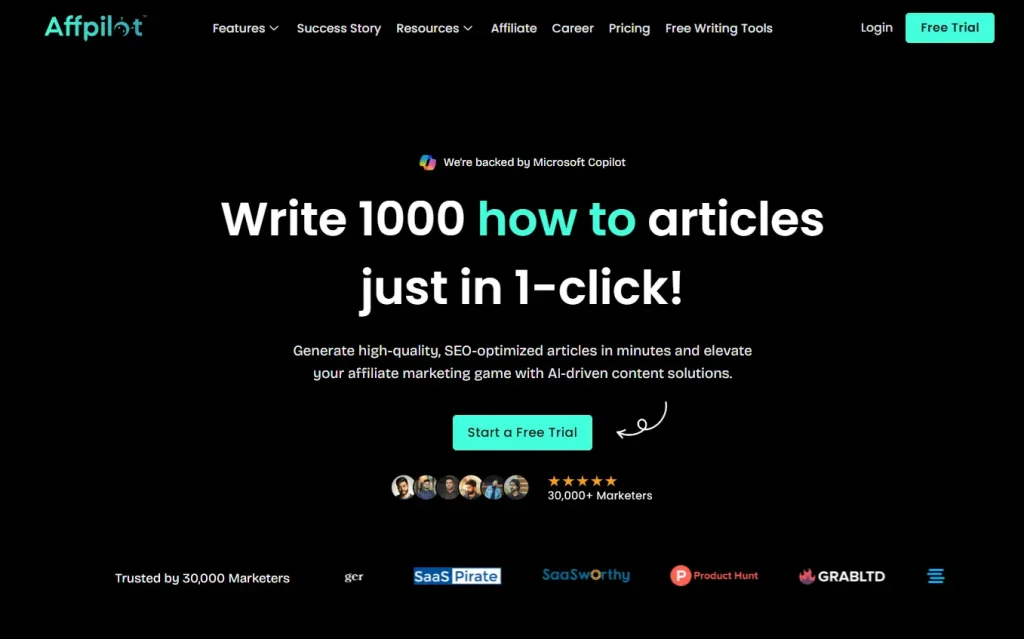
Once you master manual mobile links, scale with automation:
Generate hundreds of affiliate posts without lifting a finger.
Embed your tracking ID in every link, automatically.
Publish straight to WordPress or Blogger with one click.
Why Affpilot AI?
- Effortless content creation: Generate SEO-optimized Amazon review articles in minutes
- Real-time product data: Pulls updated specs, features, and pricing from Amazon.
- Customizable tone: Match your brand voice.
- Bulk publishing: Schedule and publish up to 1,000 Amazon affiliate articles—each with your link embedded—across 100+ niches effortlessly.
How it works:
- Log in to Affpilot AI.
- Choose “Auto-Blogging.”
- Upload your product keywords or ASINs.
- Set your template and tone.
- Hit “Generate & Publish.”
Imagine waking up to 50 new posts, each ready to earn.
13. Next Steps: Putting It All into Action
- Try it manually: Follow Sections 3–7 on your phone today.
- Track results: Use UTM tags and check your Associates dashboard.
- Automate: Sign up for Affpilot AI and scale from dozens to hundreds of posts overnight.
- Optimize: Review your top-performing links. Tweak CTAs and placement.
- Repeat: New products, new niches, new earnings.
Your phone is more than a communication tool. It’s a commission machine. Start clicking, start sharing, and watch your affiliate income grow—whether you’re at a café, in transit, or lounging at home.
Ready to stop missing deals and start earning wherever you are? Give mobile linking a try today. And when you’re ready to skyrocket your output, let Affpilot AI take over the heavy lifting.
Which product will you link first?
Our Sample Article

Benefits of Meditation: Unlocking Peace and Productivity
Shahidujzaman Shahid · May 29, 2024
How to Choose a Probiotic: Your Essential Guide
Shahidujzaman Shahid · May 29, 2024
Why Does My Cat Keep Throwing Up? Uncover the Causes!
Shahidujzaman Shahid · May 29, 2024