How To Add Amazon Affiliate Link To Tiktok Bio?
Learn how to add Amazon affiliate link to TikTok bio effortlessly. Boost your earnings and grow your audience with our step-by-step guide!
TikTok reels drive explosive engagement.
You share product reviews, unboxings, or recommendations. Your audience trusts you.
Now, you want to earn affiliate commissions.
Placing your Amazon affiliate link in your TikTok bio turns casual viewers into buyers.
It’s simple. It’s powerful. And you can do it today.
What You Need Before You Start
- An Amazon Associates account. Free to join, essential to generate affiliate links.
- A TikTok account with at least one public video (required for adding a bio link).
- Optional: A link-in-bio service (Linktree, Shorby, or your own blog) if you plan multiple links or want branded URLs.
1. Join the Amazon Associates Program
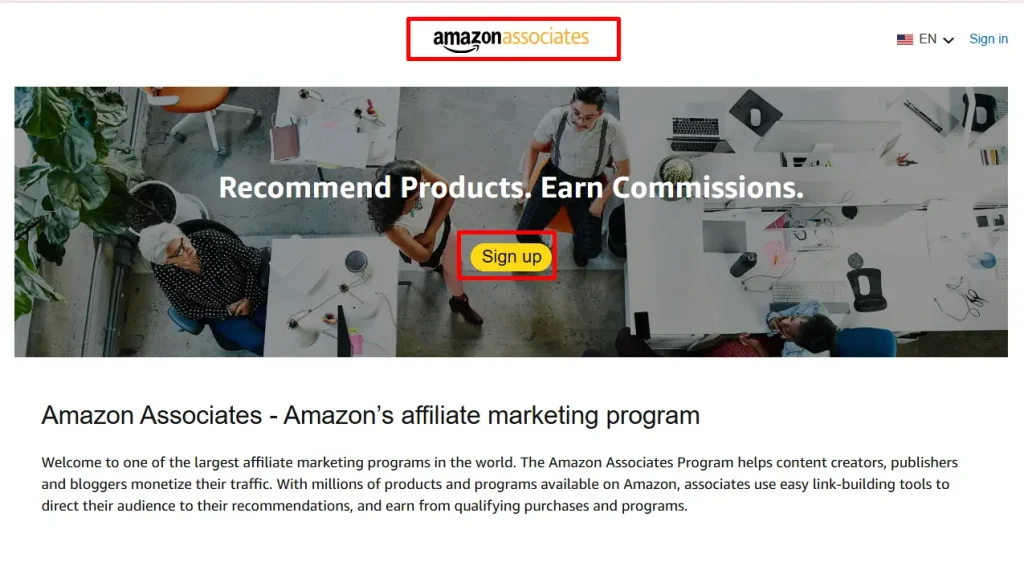
You can’t earn commissions without it.
- Go to Amazon Associates Central.
- Click “Sign up”.
- Log in with your Amazon account credentials.
- Fill in your profile:
- Website or app list: If you don’t have a blog, you can list your TikTok as a “mobile app.”
- Profile details: Add a description of your TikTok content niche.
- Website or app list: If you don’t have a blog, you can list your TikTok as a “mobile app.”
- Wait for preliminary approval. You’ll need to make sales (within 180 days) to earn full approval.
Follow Amazon’s guidelines closely. You must disclose that links earn you commissions. Transparent disclosures build trust.
2. Generate Your First Amazon Affiliate Link
Once approved, you can create links for any Amazon product.
- In Amazon Associates Central, use the Product Linking tab.
- Search for the item you plan to promote.
- Click “Get link” next to that product.
- Choose your link format:
- Text only: A simple URL.
- Image + text: If you want an image preview (not usable in TikTok bio).
- Text only: A simple URL.
- Copy the Short Link (recommended) or Full Link.
Your link now contains your unique affiliate tracking ID. When someone buys through it, you earn a commission.
3. Decide: Direct Link vs. Link-in-Bio Service
TikTok only lets you add one clickable URL in your bio. Think strategically:
- Direct Link
- Point directly to a high-conversion product page.
- Simple setup; one click for viewers.
- Risk: If that product goes out of stock, your link breaks.
- Point directly to a high-conversion product page.
- Link-in-Bio Service
- Host multiple affiliate links behind one URL.
- Customize the landing page with branding, categories, and pinned items.
- Use free tools like Linktree or build a simple page on your own website.
- Host multiple affiliate links behind one URL.
Most creators start with a link-in-bio tool. It gives flexibility and control.
4. Adding a Direct Amazon Affiliate Link to Your TikTok Bio
If you choose the direct-link route:
- Open TikTok and tap “Me” in the bottom menu.
- Tap “Edit profile.”
- In the Website field, paste your Amazon affiliate URL.
- Tap “Save.”
Your link now appears under your bio. Every new visitor can tap it and go straight to Amazon.
5. Using a Link-in-Bio Service for Multiple Links
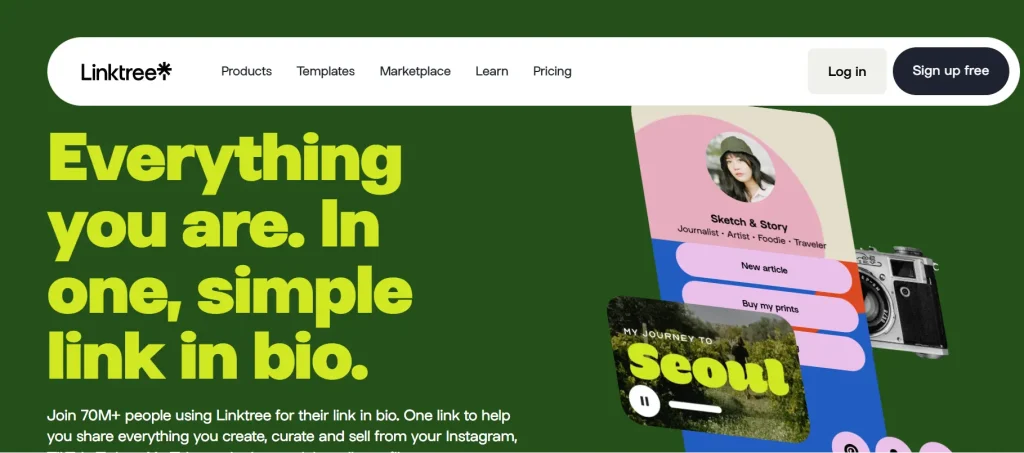
Most TikTok creators need more than one link. Here’s how you set up Linktree (example):
- Register at linktr.ee.
- Choose a free or paid plan based on your needs.
- In your Linktree dashboard:
- Click “Add New Link.”
- Enter the Title (e.g., “Best Headphones”), and paste your Amazon affiliate URL.
- Repeat for each product or category.
- Click “Add New Link.”
- At the top, copy your unique Linktree URL.
- On TikTok, go to Edit profile → Website, and paste the Linktree URL.
Tip: Rename your Linktree page to match your username or brand for easy recall.
6. Branding Your URL with a Custom Domain
Own your link domain for extra professionalism:
- Register a short domain (e.g., YourName.link).
- Point it to your Linktree or landing page via DNS settings.
- Use that custom domain in your TikTok bio instead of the generic service URL.
A branded link boosts clicks. It signals that you control the content your audience sees.
7. Test Your Link Before You Share
Never assume a link works. Always test:
- On mobile: TikTok opens on mobile, so check it on your phone.
- Incognito mode: Ensure no login walls block viewers.
- Multiple products: If you use a link-in-bio service, verify each button.
A broken link costs you clicks and credibility.
Best Practices for Affiliate Links on TikTok

- Disclose Clearly
- Add “(Affiliate link)” in your bio text.
- Or a short disclosure: “I earn when you buy.”
- Add “(Affiliate link)” in your bio text.
- Use a Strong Call-to-Action (CTA)
- In your videos, say: “Check my bio for the best deals.”
- Overlay text on videos: “Link in bio” with an arrow.
- In your videos, say: “Check my bio for the best deals.”
- Create Context
- Film a quick demo or review. Show the product’s benefits.
- End with “Hit my bio link to grab yours.”
- Film a quick demo or review. Show the product’s benefits.
- Freshen Your Link Regularly
- Swap to new promos or seasonal products.
- Keep content and link relevancy high.
- Swap to new promos or seasonal products.
- Monitor Performance
- Amazon Associates reports show clicks and conversions.
- Link-in-bio services let you track button taps.
- Amazon Associates reports show clicks and conversions.
Are you paying attention to which videos drive the most clicks? That insight helps you refine future content.
Avoiding Policy Pitfalls
- Amazon’s Operating Agreement forbids certain placements:
- Don’t hide your affiliate link behind “redirect” domains without disclosure.
- Avoid incentivizing clicks (“Click my link for free stuff”).
- Don’t hide your affiliate link behind “redirect” domains without disclosure.
- TikTok’s Community Guidelines don’t prohibit affiliate links, but avoid spammy tactics.
- No misleading pop-ups or link farms.
- Respect viewer experience.
- No misleading pop-ups or link farms.
Following both platforms’ rules ensures your account stays in good standing.
Tracking and Analytics
- Amazon Reports
- Access the “Reports” tab in Associates Central.
- View clicks, ordered items, and earnings by date and product.
- Access the “Reports” tab in Associates Central.
- UTM Parameters
- Append ?utm_source=tiktok&utm_medium=bio&utm_campaign=summer_sale to your URL.
- Connect this data to Google Analytics on your site or landing page.
- Append ?utm_source=tiktok&utm_medium=bio&utm_campaign=summer_sale to your URL.
Data helps you answer: Which video gave me my best ROI this week?
Scaling Your TikTok Affiliate Strategy
- Niche Focus
- Align products with your content style (tech gadgets, beauty, fitness).
- Align products with your content style (tech gadgets, beauty, fitness).
- Consistent Content
- Post at least 3 times a week with product highlights.
- Post at least 3 times a week with product highlights.
- Engage Your Audience
- Respond to comments. Ask: “What should I review next?”
- Respond to comments. Ask: “What should I review next?”
- Collaborate
- Partner with micro-influencers in your niche.
- Partner with micro-influencers in your niche.
- Repurpose
- Turn TikToks into YouTube Shorts or Instagram Reels.
- Turn TikToks into YouTube Shorts or Instagram Reels.
Each platform adds a new funnel for affiliate clicks.
Advanced Tips for Power Users
- Video Callouts
- Use animated arrows or stickers pointing to “Link in bio.”
- Use animated arrows or stickers pointing to “Link in bio.”
- Limited-Time Offers
- Swap your bio link to time-sensitive deals (“Today only: 25% off”).
- Swap your bio link to time-sensitive deals (“Today only: 25% off”).
- Retargeting Landing Page
- Build a mini-site with cookies to remarket via ads.
- Build a mini-site with cookies to remarket via ads.
Advanced workflows demand more effort but can double or triple your affiliate income.
How Affpilot AI Helps You Scale to 1000+ Articles
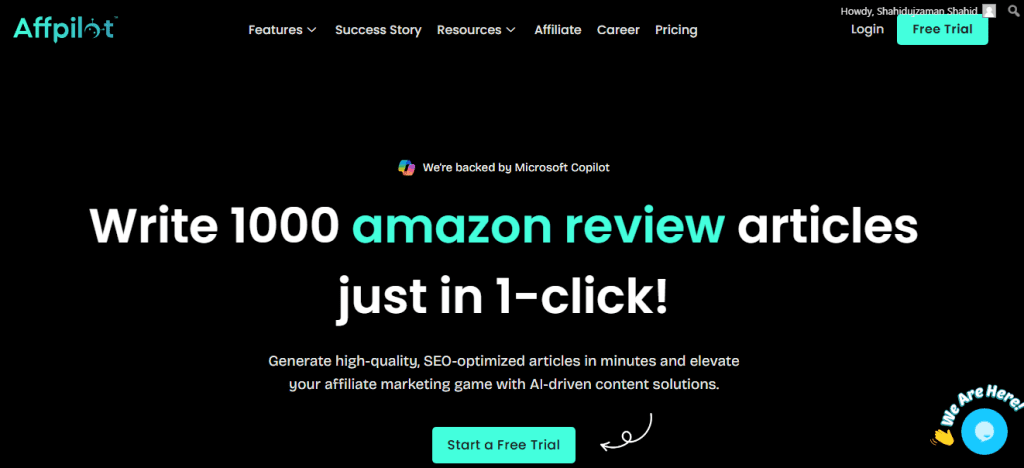
Imagine having a team of writers that never sleeps. That’s Affpilot AI.
One feature lets you write and publish up to 1000 Amazon affiliate articles with your affiliate link embedded, instantly ready to drive traffic from search engines.
- Automated Content Creation
- Feed in product keywords or ASINs.
- Affpilot AI generates SEO-optimized reviews, comparisons, and listicles.
- Feed in product keywords or ASINs.
- Bulk Publishing
- Select up to 1000 products at once.
- Watch Affpilot AI publish directly to WordPress or Blogger.
- Select up to 1000 products at once.
- Embedded Affiliate Links
- Your Amazon Associates ID integrates automatically.
- Each article includes your link in the best spots: product names, images, “Buy now” buttons.
- Your Amazon Associates ID integrates automatically.
You focus on strategy. Affpilot handles the heavy lifting. No manual copy-paste. No missed link placements.
Every journey starts with one link.
Today, you learned how to get yours into your TikTok bio.
Next, imagine hundreds or thousands of pages optimized to funnel buyers from Google, YouTube, social media, and beyond. Affpilot AI scales that vision in minutes.
Ready to expand beyond TikTok? What will you automate first?
Our Sample Article

Benefits of Meditation: Unlocking Peace and Productivity
Shahidujzaman Shahid · May 29, 2024
How to Choose a Probiotic: Your Essential Guide
Shahidujzaman Shahid · May 29, 2024
Why Does My Cat Keep Throwing Up? Uncover the Causes!
Shahidujzaman Shahid · May 29, 2024